5
________________________________________________________________________________________________
382 South Abbott Avenue, Milpitas, CA 95035, USA • PHONE: +1-408-890-6840 • FAX: +1-408-262-6877
nuforce.com • EMAIL: salesteam@nuforce.com • Skype: nuforce-sales
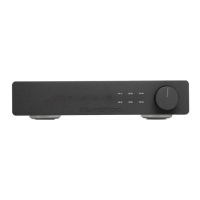
Pressing 1 to 6 selects the corresponding digital inputs. The Up arrow is a volume-up
key; the Down arrow is a volume-down key.
Note: The Volume keys are not capable of acceleration. Each press of the key
increases or decreases the volume by one step. To achieve accelerated volume, use the
remote control.
Front Panel Displays
From the left, the first digit indicates the selected Digital Input. The Volume Level
follows. (When the unit is powered on, the default position is 40.) The right-side
display shows the detected sampling rate: 44, 88, 176, and 192. If the sampling rate
does not correspond to a standard frequency, or if the signal is in error, the display
produces a dash (––).
Headphone Output
The DAC-9 includes a high-performance headphone amplifier with an independent
volume control operated via the front-panel knob. (We recommend against using the
provided 6.3mm and 3.5mm phone jacks simultaneously unless the two headphones
in operation are identical models with the same impedance.)
The 3.5mm Phone Jack doubles as an optical input (typical of the S/PDIF optical
output MAC and PC peripherals employ).



 To Next Page