6
________________________________________________________________________________________________
382 South Abbott Avenue, Milpitas, CA 95035, USA • PHONE: +1-408-890-6840 • FAX: +1-408-262-6877
nuforce.com • EMAIL: salesteam@nuforce.com • Skype: nuforce-sales
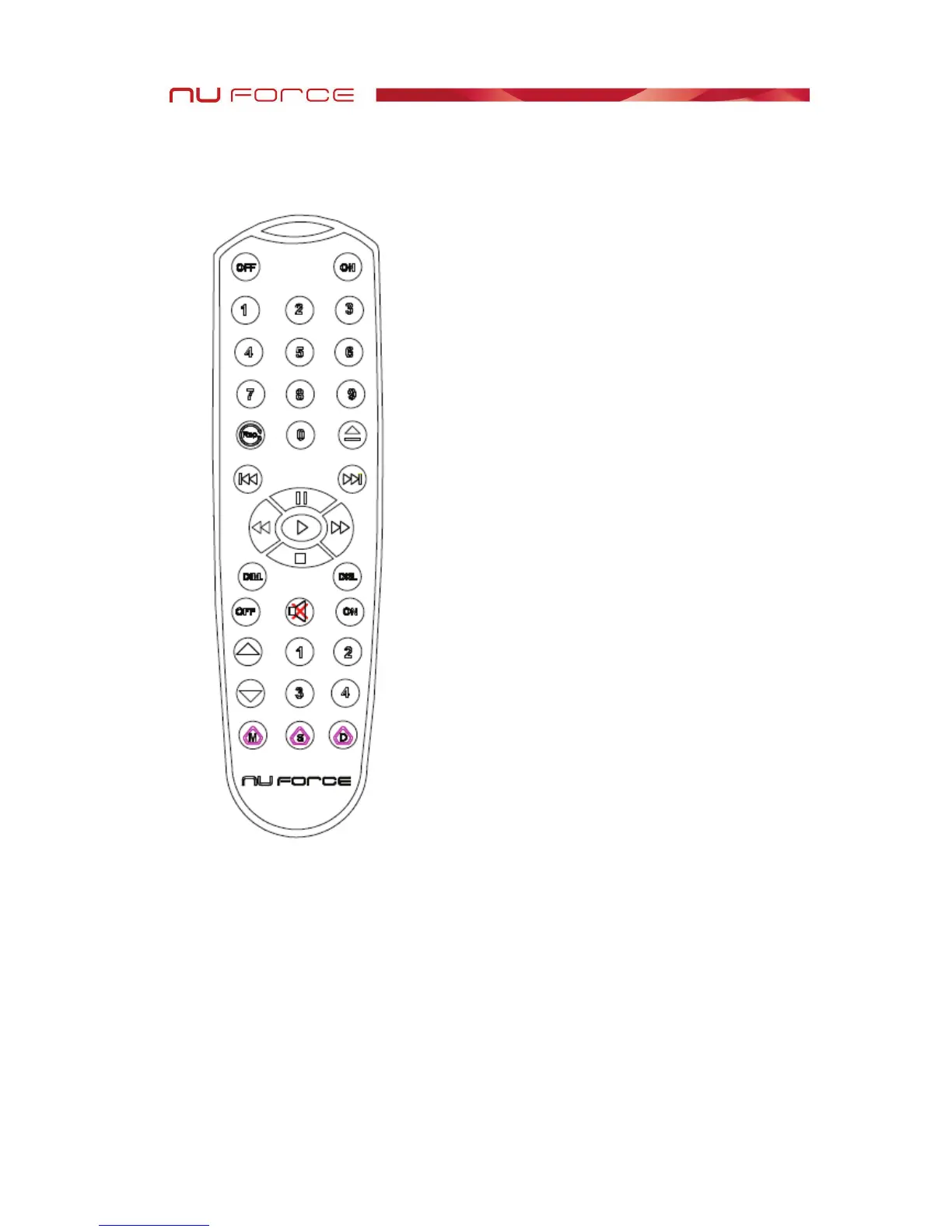
Remote Control
The supplied remote also controls the NuForce P8S, P9, IA7, and CDP-8. The
following keys apply to the DAC-9:
Volume Up/Down – Via the remote, the DAC-9’s volume default (at 50) can be
elevated to 99. To accelerate the volume level, depress the Up or Down key until you
achieve the desired volume.
M – Mute. The Mute key mutes the DAC-9’s output. The front volume indicator will
consist of a blinking dash (––).
S – Select Input. Pressing the S key shifts operation to the next input.


 To Next Page