MEGAWATT BIKE GUIDE 2022 | 4 4
Display settings
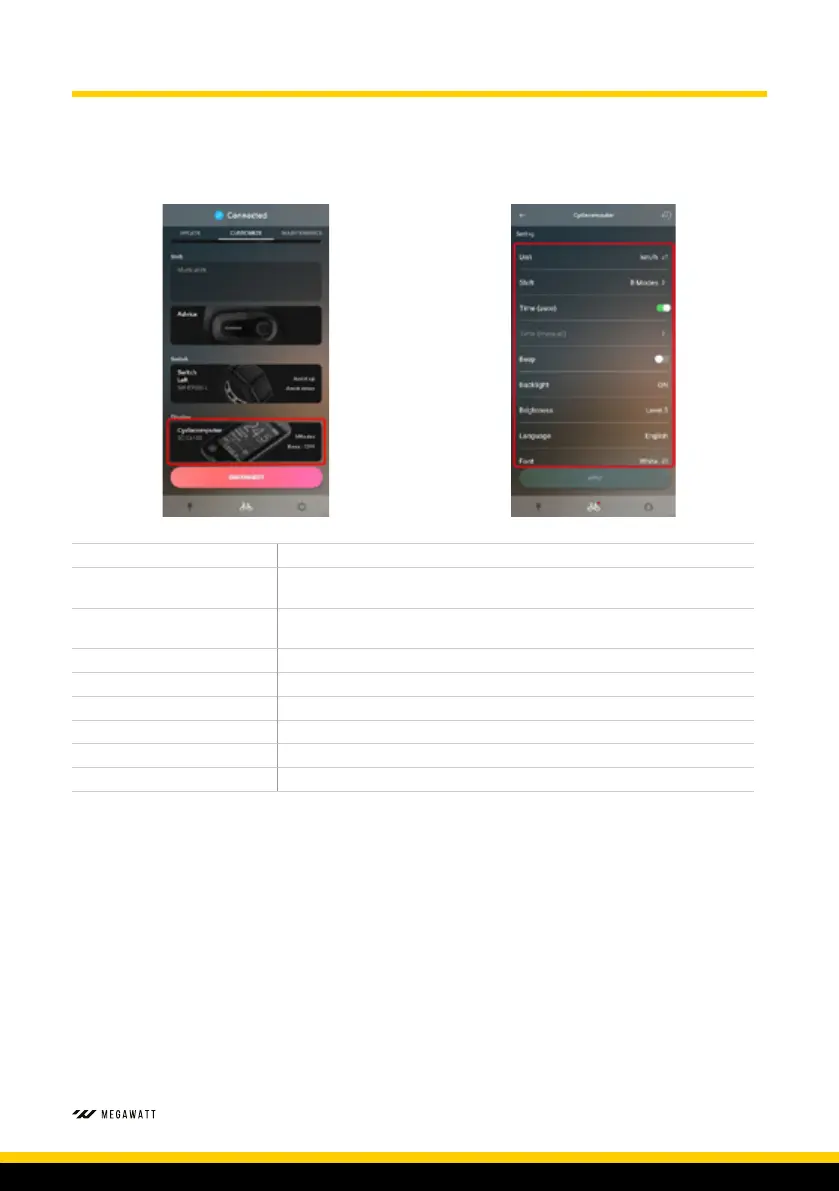
The handlebar display settings can be customised to your preference. The following highlighted
data can be amended.
Display Units KM/H or MPH
Display Switch
Choose between Travel Time, Average Speed, Maximum Speed, Range
Overview and Cadence
Automatic Time Setting
When turned on, time will display as shown on connected phone or
computer
Manual Time Setting When Automatic Time Setting is off, you can manually enter the time
Beep Setting Turn beep On or Off
Backlight Setting Can be selected on, off or manual
Backlight Brightness Set the brightness of the displays backlight
Font Colour Change between Black or White font
Display Time Set time period display will turn off when bike not in use



 To Next Page