Need help?
Do you have a question about the Nukeproof MEGAWATT 297 and is the answer not in the manual?
Position the bike upright safely and inspect the downtube area for access to the battery.
Loosen the bottom left bolt on the battery door one full turn using a 4mm hex key.
Loosen the bottom right bolt on the battery door one full turn using a 4mm hex key.
Fully remove the top battery door bolt to allow detachment.
Carefully slide the battery door upwards to detach it from the frame.
Turn the silver battery release bolt clockwise with a 4mm hex key to unlock.
The battery should slide forward and stop at the position shown in the photo.
Push the silver clip down to fully release the battery from its housing.
Lift the battery out of the frame carefully.
Inspect the battery holder for condition and any signs of damage before proceeding.
Rotate the battery to align the plastic locating part with the hole in the battery casing.
Line up the battery and push it into the frame.
Ensure the battery is fully seated; two clicks indicate proper engagement.
Slide the battery door back into its original position.
Tighten the top bolt first using your 4mm hex key.
Tighten the lower left bolt using your 4mm hex key.
Tighten the lower right bolt using your 4mm hex key.
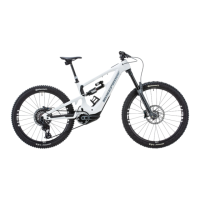
This document outlines the procedure for removing and installing the battery on a Nukeproof Megawatt electric bicycle. It serves as a comprehensive guide for users to safely and effectively manage their bike's power source.
The Nukeproof Megawatt battery is an integral component of the electric bicycle, providing the necessary power for the motor to assist the rider. Its design allows for removal and reinstallation, which is crucial for charging, maintenance, or replacement. The battery is housed within the downtube of the bicycle frame and secured by a battery door, which is fastened with bolts. A specialized locking mechanism ensures the battery remains firmly in place during operation.
The removal and installation process is designed to be straightforward, requiring only a 4mm hex key.
The design of the Nukeproof Megawatt battery system emphasizes ease of maintenance and replacement. The ability to remove the battery allows for:
The clear, step-by-step instructions, accompanied by visual aids, make the process accessible even for users with limited mechanical experience. The requirement of a single common tool (4mm hex key) further simplifies the procedure, making battery management a user-friendly aspect of owning a Nukeproof Megawatt electric bicycle.
 General
| Wheel Size | 29" front, 27.5" rear |
|---|---|
| Motor | Shimano EP8 |
| Fork Travel | 170mm |
| Rear Shock Travel | 160mm |
| Drivetrain | Shimano XT 12-speed |
| Brakes | Shimano XT 4-piston |
| Battery | 630Wh |
| Head Angle | 64° |
| Fork | Fox 38 Float Factory, GRIP2 Damper |


 To Next Page