EasyManua.ls Logo

Numan Unison - User Manual

Numan Unison
116 pages
Go to English
Print Icon
To Next Page IconTo Next Page
Loading...
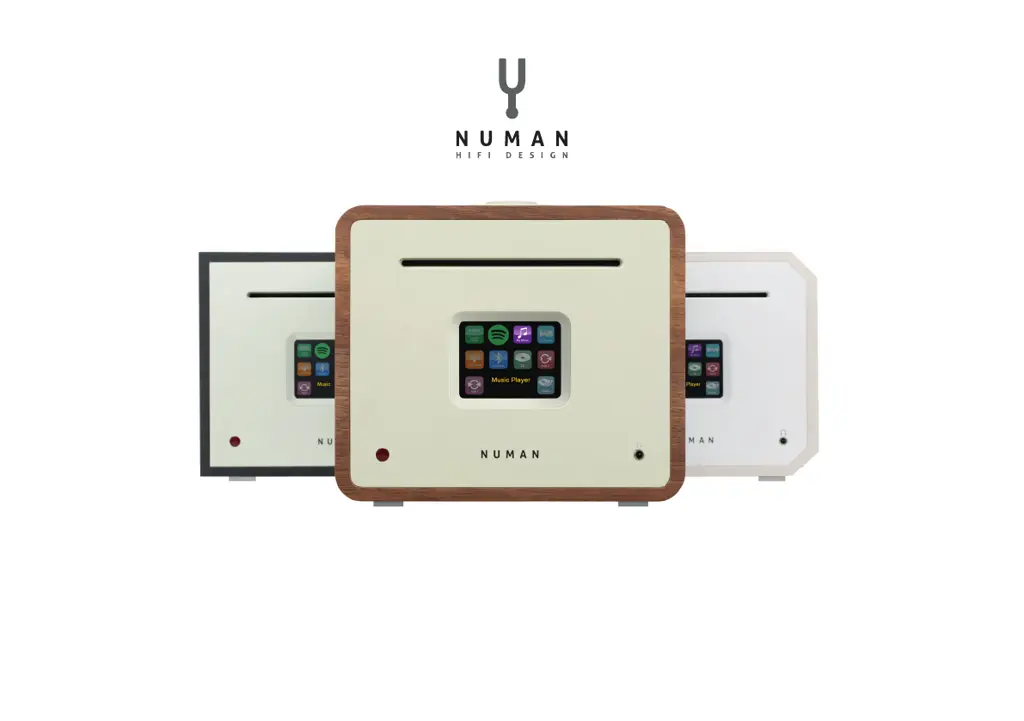
NUMAN Unison
Benutzerhandbuch
www.numanaudio.com

Questions and Answers

  • T
    Timothy MasonJul 27, 2025
    What to do if my Numan Stereo System cannot connect to the Internet?
    • K
      karen12Jul 27, 2025
      If your Numan Stereo System cannot connect to the Internet, first check if your internet connection is working for a computer connected to the same network. Also, ensure that the following ports are open: UDP and TCP ports 80 and 123; DNS port 53. Some Internet radio stations may require additional ports to be opened.
  • P
    Paul HolmesJul 31, 2025
    How to fix Numan Stereo System when it cannot connect to the network?
    • D
      Dylan ParkAug 1, 2025
      If your Numan Stereo System cannot connect to the network, verify that the network is working between a computer and the router. Also, check that the following ports are open on the router: UDP and TCP ports 80 and 123; DNS port 53. Windows shares: ports 135 – 139 and 445. Windows Media Player: varies – non-Microsoft firewalls may require configuration for UPnP.
  • S
    Sierra MilesAug 4, 2025
    How to troubleshoot hissing FM or burbling DAB on my Numan Unison Stereo System?
    • C
      Cynthia FernandezAug 4, 2025
      If you are experiencing hissing on FM or burbling, intermittent, or cut-out issues on DAB with your Numan Stereo System, it might be due to low signal strength. Try checking and moving the antenna. Also, try moving the radio, or rescan local (high-strength) stations only.
  • J
    Jeanette OconnorAug 13, 2025
    What to do if my Numan Stereo System cannot play a particular Internet radio station?
    • M
      Megan CookAug 13, 2025
      If your Numan Stereo System cannot play a particular Internet radio station, the station might not be broadcasting, could be overloaded, or may have insufficient bandwidth. Try other stations or try again later. The station might also be broadcasting using an unknown codec, or the link may be out of date.
  • D
    Daniel DavisAug 17, 2025
    Why won't CD playback start on my Numan Unison Stereo System?
    • K
      katrina19Aug 17, 2025
      If CD playback does not start on your Numan Stereo System, it could be due to several reasons: * The CD format is not compatible, try inserting a different CD into the CD slot. * The CD is dirty, try cleaning the CD. * The CD is damaged, try inserting a different CD into the CD slot. * The CD is upside down in the CD slot, eject the CD and insert it in the CD slot the right way up.
  • K
    Katrina SolisAug 22, 2025
    How do I fix the ‘No stations available’ message on my Numan Unison Stereo System DAB?
    • J
      Jerry SantiagoAug 22, 2025
      If your Numan Stereo System displays a ‘No stations available’ message on DAB, this is likely due to low signal strength. Rescan the stations after improving the signal strength.
  • M
    Mark DuarteNov 8, 2025
    Why can't my Numan Stereo System connect to the network, and how to solve it?
    • J
      Jackie JohnsonNov 8, 2025
      There are several reasons why your Numan Stereo System might fail to connect to the network: 1. The router may be restricting access to listed MAC addresses. To resolve this, obtain the radio's MAC address from MENU > System settings > Network > View settings and add it to the router list. Note that the radio has separate MAC addresses for wired and wireless networks. 2. Insufficient Wi-Fi signal strength could be the issue. Check the distance to the router and see if a computer can connect to the network in that location. 3. An unknown encryption method might be in use. Change the encryption method on the router; the radio supports WEP, WPA, and WPA2. 4. An unusual network configuration might be the cause. Set up the network manually through MENU > System settings > Network > Manual ...

Summary

TECHNICAL DATA AND PACKING CONTENT

TECHNICAL DATA

Detailed specifications of the product's hardware and capabilities.

SAFETY INSTRUCTIONS

EXTERNAL ANTENNA CONNECTION

SPEAKER CONNECTION

USE AND OPERATION

GETTING STARTED AND SETUP

Initial configuration steps for the radio.

NETWORK

CONTROL WITH UNDOK APP

CONNECT MOBILE WITH NUMAN UNISON

Steps to pair and control the device via a mobile app.

SETTING UP A MUSIC SERVER

SPOTIFY CONNECT CONTROL AND PLAY BACK

USING SPOTIFY CONNECT

Controlling Spotify playback wirelessly via the app.

INTERNET RADIO MODE

MUSIC STREAMING OVER THE NETWORK

SHARED MEDIA (FROM UPNP MEDIA SERVER)

Playing audio files from a shared UPnP media server.

MUSIC STREAMING IN WINDOWS 7

USE PLAY TO” IN WINDOWS MEDIA PLAYER

Streaming media from Windows Media Player using the "Play To" feature.

DAB RADIO MODE

FM RADIO MODE

AUX, SUB, BT, ALARMS AND SLEEPTIMER

SOFTWARE UPDATE AND FACTORY RESET

SOFTWARE UPDATE

Procedures for updating the device's firmware.

ERROR MESSAGES AND TROUBLESHOOTING

Numan Unison Specifications

General IconGeneral
BrandNuman
ModelUnison
CategoryStereo System
LanguageEnglish

Related product manuals