5
Top Panel
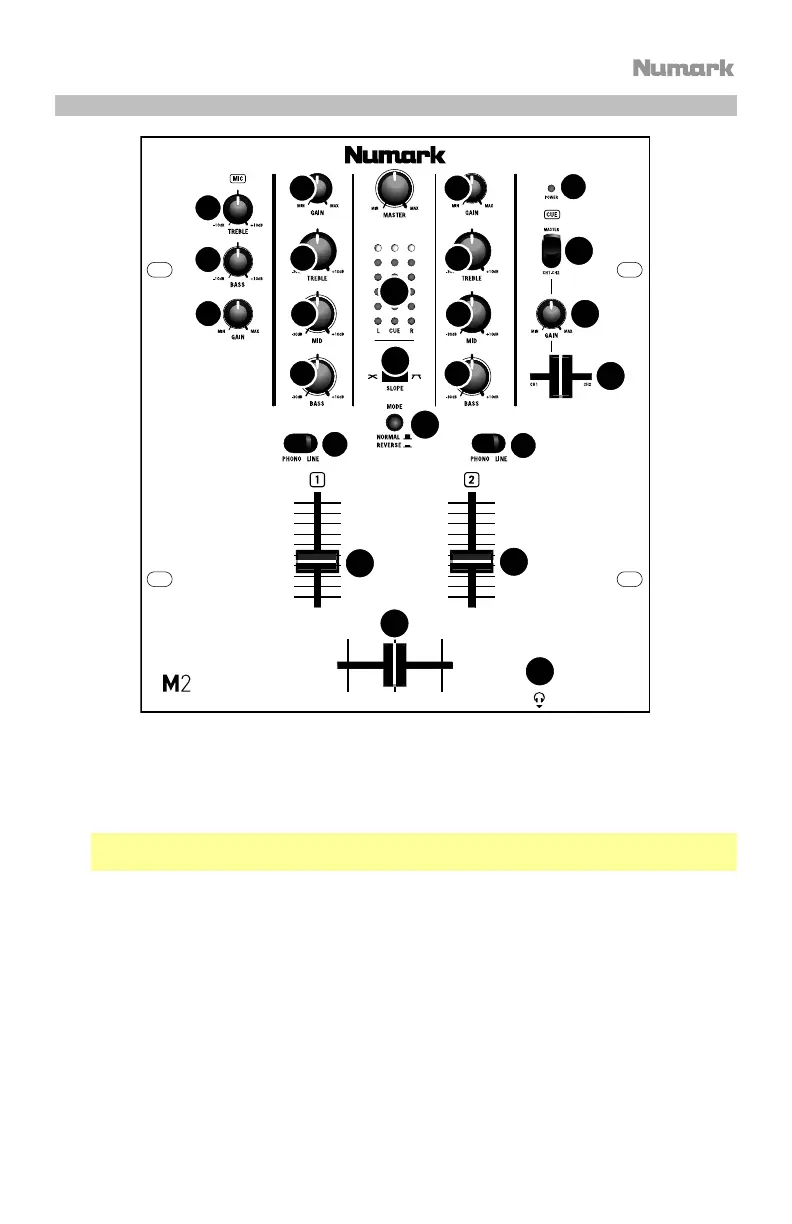
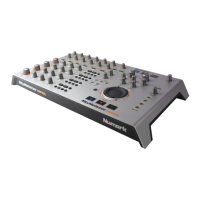
1. Power LED: Illuminates when the mixer is on.
2. Mic Gain: Adjusts the audio level of the microphone signal.
3. Mic Bass: Adjusts the low (bass) frequencies of the microphone channel.
4. Mic Treble: Adjusts the high (treble) frequencies of the microphone channel.
Tip: If you experience feedback when using a microphone at loud levels, try turning down
the high (treble) frequencies.
5. Channel Gain: Adjusts the channel audio gain level, pre-fader and pre-EQ.
6. Channel Treble: Adjusts the high (treble) frequencies of the corresponding channel.
7. Channel Mid: Adjusts the mid-range frequencies of the corresponding channel.
8. Channel Bass: Adjusts the low (bass) frequencies of the corresponding channel.
9. Input Selector: Selects the input source to be routed to the corresponding channel.
10. Channel Fader: Adjusts the audio level sent to the Program mix.
11. Cue Gain: Adjusts the audio level of the Cue channel in the headphones.
12. Headphones Output: Connect your 1/4” (6.35 mm) headphones to this output for cueing
and mix monitoring.
1
2
3
4
5 5
6
7
8
6
7
8
9
9
10
10
11
12
13
14
15
16
17
18



 To Next Page