4
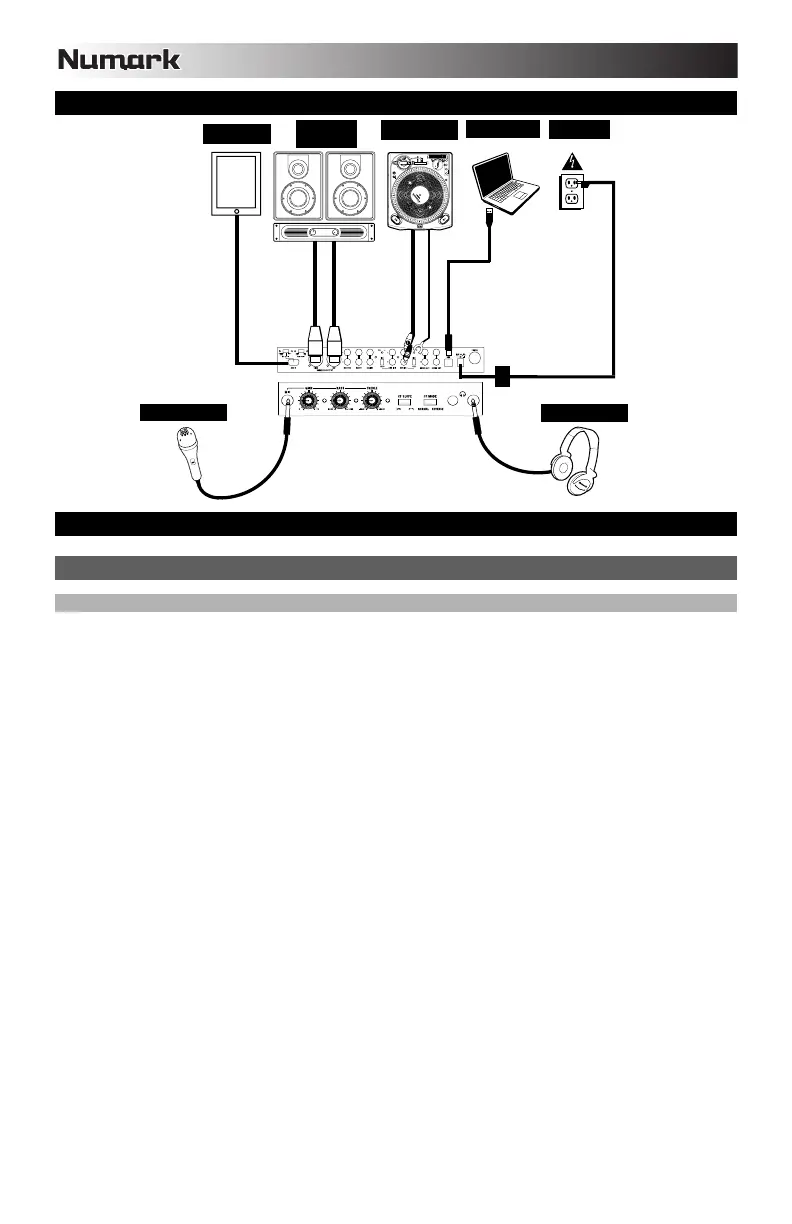
CONNECTION DIAGRAM
INSTALL THE SOFTWARE
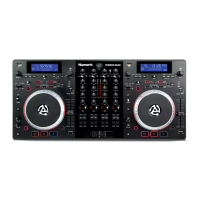
MIXDECK QUAD AND SERATO DJ INTRO SETUP
WINDOWS
Note: ASIO4ALL is not required when using Serato DJ Intro.
Before you can begin using MIXDECK QUAD with your computer, install the Serato DJ Intro software:
1. Insert the installation CD into your computer's CD-ROM drive. (Free updates to the Serato DJ Intro software are
available online at http://www.serato.com. We recommend checking the website for the latest update of Serato DJ
Intro before installing it on your computer.)
2. A pop-up screen should appear automatically. Click Run Installer to begin the installation process.
3. Follow the on-screen instructions to install the software.
To start using using MIXDECK QUAD:
1. Connect using MIXDECK QUAD to an available USB port on your computer. (If possible, use a USB port on the rear
panel of your computer.)
2. Open Serato DJ Intro by double-clicking the icon on your computer's Desktop (if you created a Desktop shortcut) or by
going to:
Windows XP: Start Menu Programs Serato DJ Intro
Windows Vista & Windows 7: Windows Menu All Programs Serato Serato DJ Serato DJ Intro
For more information on how to use Serato DJ Intro, see the manual on the CD.
HOUSE
AMP*
TURNTABLE*
POWER
COMPUTER*
MICROPHONE*
HEADPHONES*
iPad*
* Not included
1


 To Next Page