QUICK$START:$ $ $
!
Step$1.!Download!the!Apps!!
Search!“NutTAG!GPS”!in!your!app!store!or!scan!below!QR!codes!
!
!
!
!
!
App!icon!!!! ! ! !! !!!!!!!!!!!!!!QR!code!link!to!iOS!App!!!!!!!!!!!!!!!!!!!!!!!!!!!!!QR!code!link!to!Android!App!
!
Step$2.!Create!an!account!!
Sign!Up!and!create!and!account!
!
Step$3.!Follow!on!boarding!to!add!your!GPS!device!!
You!will!need!to!enter!your!NutTAG!ID!Number!to!activate!your!device,!this!number!can!be!found!in!your!quick!setup!
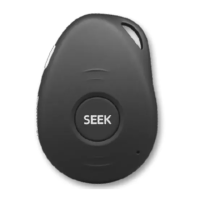
guide.!Ensure!you!place!your!GPS!device!is!on$charge$and$turn$on.!You!can!check!to!see!if!your!SEEK!device!is!turned !on !by!
the!lights!on!the!side.!
!
Step$4.!Get!first!location!fix!
To!help!get!your!first!location!update,!make!sure!that!the!device!is!on!and!the!lights!on!the!side!are!flashing.!
Hold!SEEK/SOS!button!on!the!front!for!three!seconds!preferably!outside.!
If!you!are!still!unable!to!con n ec t!p lea se !co n ta ct! us!via!LiveChat!or!email!support@nuttag.com.au!


 To Next Page