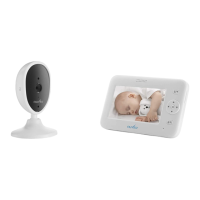
3015
Instruction manual
Starry
EN
Audio baby monitor with nightlight projector
3015
Thank you for purchasing NUVITA 3015 TULE STARRY AUDIO BABY MONITOR. Our product has been
manufactured and checked under the strictest possible quality control to ensure that each monitor leaves the
factory in perfect condition. In the unlikely event you nd any defects or have any problem, please contact our
dealer or service center.
Please read this manual carefully to obtain maximum performance and extended service life from the unit.
Nuvita TULE-equipped products can automatically select free channel or hop to free channel during
communication to avoid interference from other electronic devices. In addition, Nuvita TULE technology allow
our products to detect the signal power between the baby unit and parent unit, then automatically reduces
the emission power from baby unit when the two units are in close vicinity. As a result, the level of radiation to
baby is greatly reduced and always at the minimal level. Nuvita TULE technology helps to protect the baby’s
health for now and future.
DECT and 2.4GHz solution are most common wireless technology applied in baby monitor telecommunication.
DECT is Digital Enhanced Cordless Technology, widely used in household wireless telephones. 2.4GHz solution
is using the 2.4GHz bandwidth for signal transfer. Both DECT and 2.4GHZ were developed for adult use, then
apply to baby monitors. Nuvita TULE, True Ultra Low Emission Technology, is Exclusively Developed for Baby
monitors having in mind that the baby’s health is always our First Priority.
ABOUT NUVITA TULE
NUVITA 3015 TULE STARRY AUDIO BABY MONITOR should not be regarded as a medical device. Premature
babies or those considered to be at risk should be under the supervision of your doctor or health personnel.
Direct supervision of your baby at a regular interval by a responsible adult is strongly recommended in
addition to using NUVITA 3015 TULE STARRY AUDIO BABY MONITOR.
WARNING
This baby monitor employs full digital technology with zero interference on standby.
The unit can automatically select free channel or hop to free channel during communication to avoid
interference from other electronic devices. In addition, thanks to the Automatic Power Reduction System
(APRS) which senses the signal strength between the baby and parent unit and automatically reduces the
emission power from baby unit when the two units are in close vicinity. The level of radiation to baby is greatly
reduced.
DIGITAL TECHNOLOGY AND APRS
POWER SUPPLY
BABY UNIT
Pull up the support lever and slide open the
battery door in direction as shown. Insert 3
pieces AAA size (UM-4) alkaline batteries into
the compartment. Observe correct polarities
indication. Install back the battery door.
Note: For best performance, do not mix
use old and new batteries or alkaline and
rechargeable batteries.
1. Operation from batteries


 To Next Page
 General