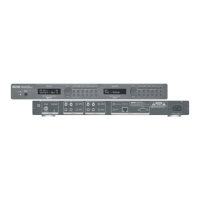
AUX Input
Disable/Enable: The T2 has an auxiliary audio input
that allows access through either of the tuners to an
additional audio source. To use this you must first
enable the input in the menu options.
AUX Gain: The audio input from an auxiliary source
can be adjusted to match the output of the T2's Tuner
A and Tuner B. AUX Gain is selected by using the Select
knob to scroll to that choice and press to enter. Once
AUX Gain is selected, amount of input up and down is
then controlled and set by using the Select knob to
adjust up or down, and then pressing the knob when
the desired gain setting has been reached, fig. 16.
Noise Blanking
Disable/Enable: The T2 default setting is to have noise
blanking (partial to complete muting of weak noise
signals) Enabled. For areas of T2 operation having a
very low interference level, it may be desirable to
select this menu item and set Disabled in order to
listen to very distant, weak stations.
PUSH TO
ENTER
SELECT
Tuner A
Aux Gain Set:
Output +5 dB
FM STEREO•AM•WEATHER
Fig. 16
Page 14



 To Next Page