Page 24
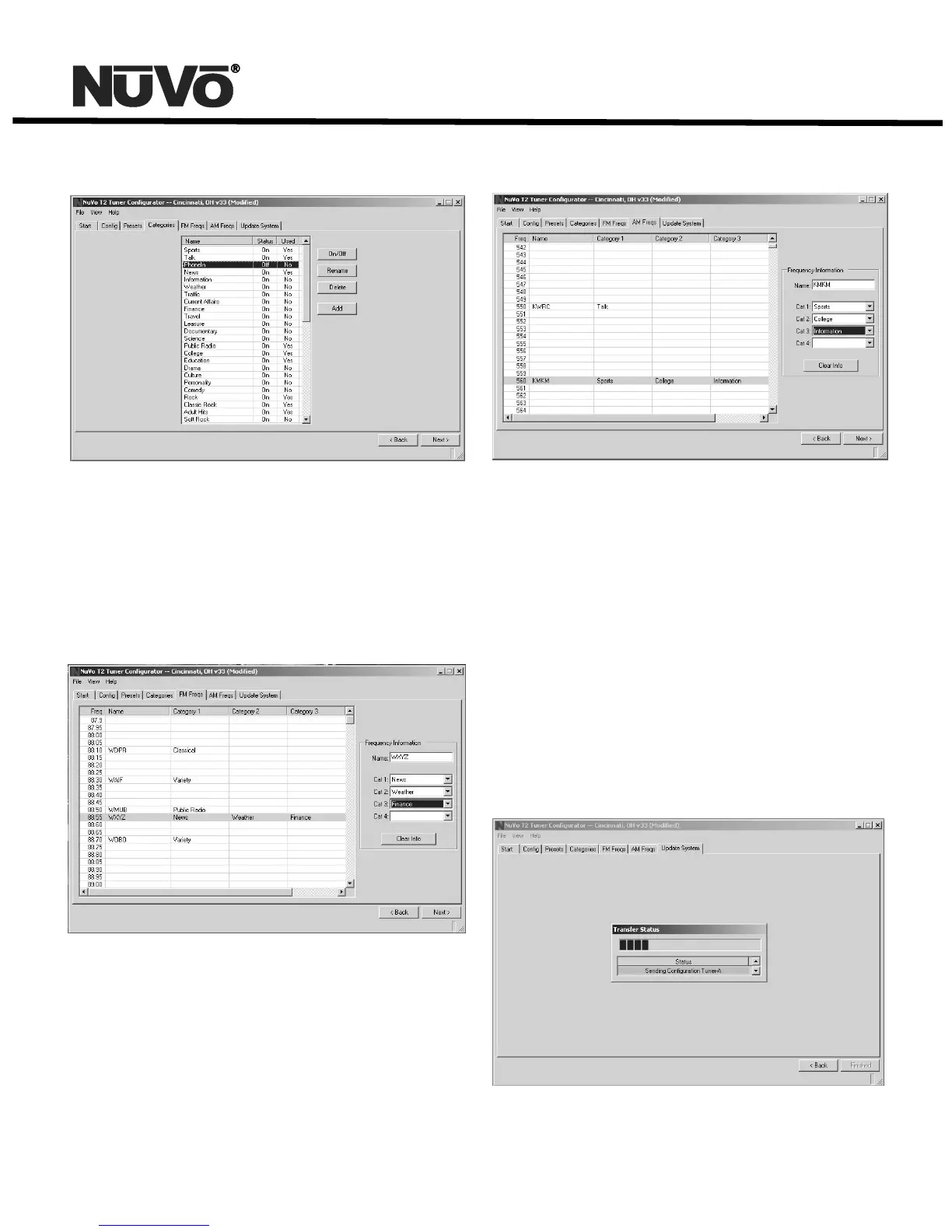
6.1 Categories Tab
6.2 FM Freqs: This tab lists all the available frequencies within
the FM band. When highlighted, the Frequency Information on
the right side of the tab allows you to name and categorize
each desired frequency in up to four different categories. The
Category drop down menus will only display the categories
you have turned on.
6.2 FM Freqs
6.3 AM Freqs: This tab is identical in function to the FM Freqs
tab, but categorizes the AM frequencies.
6.3 AM Freqs
When the desired frequencies have been categorized, the
Category tab will update to show the Categories you have
turned on and whether or not each category is used.
7.0 Update System
7.1 Download Configuration: The final step in the setup is to
download the configuration to the T2 via either its Rs232
serial port, or the USB port. At download the system gives
three options: Download configuration to both tuners, or to
either Tuner A or Tuner B. When you select an option, a window
Will appear with a download progress bar.
7.1 Download Configuration



 To Next Page