NVIDIA SLI High Bandwidth
Bridge
HARDWARE INSTALLATION
6
7
If you are installing an additional NVIDIA@GeForce@GTX 1070 graphics cards
for a 2-way NVIDIA SLI@configuration, continue with step 6. If you are only
installing one GeForce card, go on to step 8.
Note: All of the graphics cards in an SLI configuration must be identical. Therefore,
both cards in a 2-way SLI configuration must be GeForce GTX 1070 graphics cards.
Install a second GeForce GTX 1070 graphic card (2-way SLI):
Install the second GeForce card into the outer most PCl Express x 16 slot on
the motherboard.
Remove the associated slot covers for the second GeForce GTX 1070 graphic
card as shown in step 4.
Connect the two GeForce GTX 1070 cards together using the dual SLI bridge
connector that came with your SLI-ready motherboard.
2-way SLI configuration: Install
your second GeForce GTX 1070
graphics card into the outer PCl
Express x16slot (the outer slot
is the one farthest away from the
CPU).
Connect the two cards together
using the dual SLI bridge
connector that came with your
SCI-ready motherboard.
Note: For 4K and surround gaming performance, use the NVIDIA SLI High Bandwidth
Bridge available from http://www.geforce.com/hardware/technology/sli and select
NVIDIA SLI Bridge. There are three sizes available depending on which slot you
choose to put the second card.
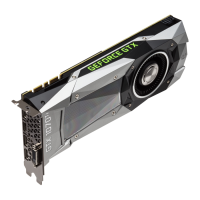
The GeForce GTX 1070 has a new industrial design with a faceted body and a
new low profile backplate. The backplate features a removable section to
allow better airflow between multiple graphics cards in an adjacent SLI
configuration.
10



 To Next Page
 Loading...