Hardware Installation
7
8
9
Connect two 8-pin power connectors from the power supply
to the NVIDIA Dual PCIe Power Dongle 8-pin connectors.
Two 8-pin
connectors.
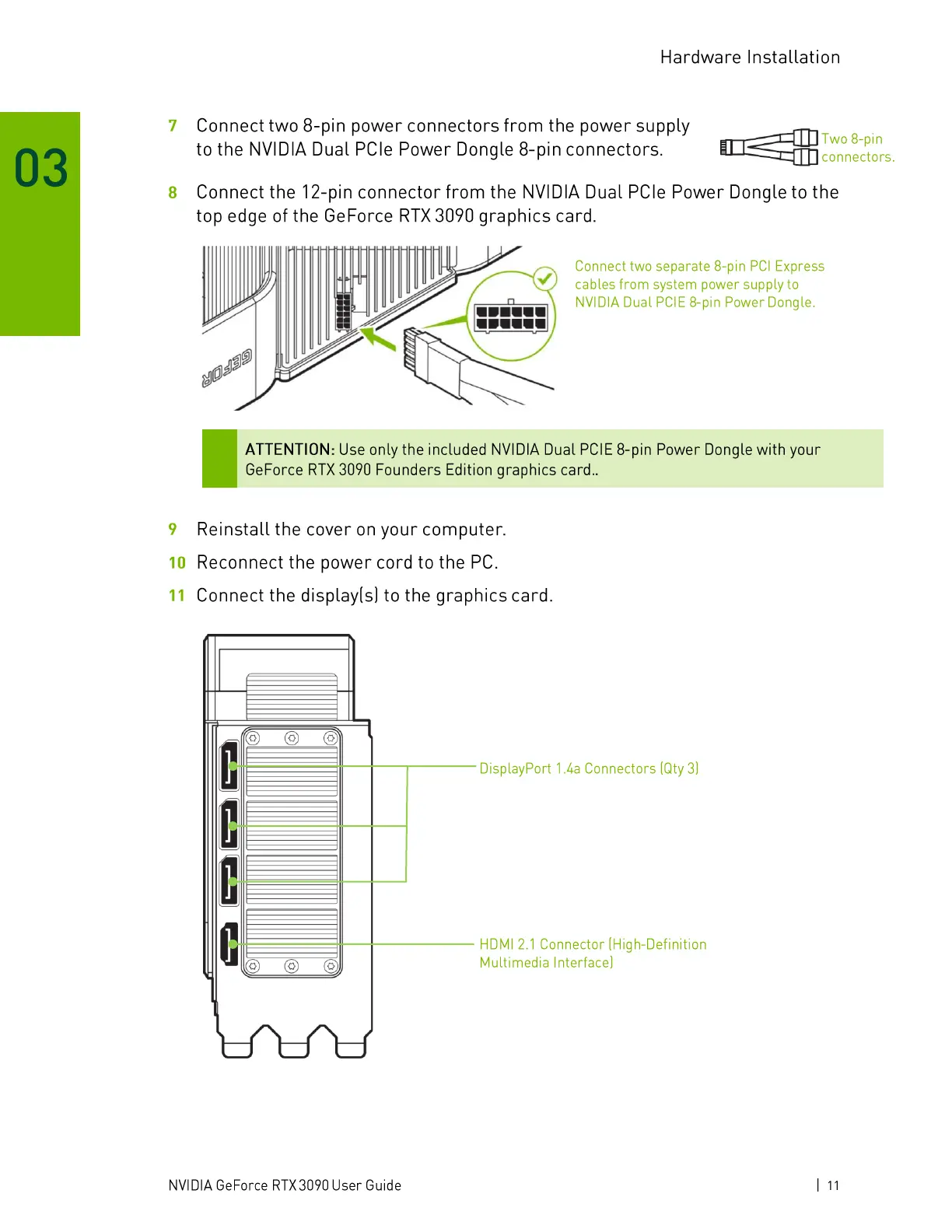
Connect the 12-pin connector from the NVIDIA Dual PCIe Power Dongle to the
top edge of the GeForce RTX 3090 graphics card.
Connect two separate 8-pin PCl Express
cables from system power supply to
NVIDIA Dual PCIE 8-pin Power Dongle.
ATTENTION: Use only the included NVIDIA Dual PCIE 8-pin Power Dongle with your
GeForce RTX 3090 Founders Edition graphics card..
Reinstall the cover on your computer.
Reconnect the power cord to the PC.
10
Connect the display(s) to the graphics card.
11
o o
DisplayPort 1La Connectors (Qty3)
HDMI 2.1 Connector (High-Definition
Multimedia Interface)
NVIDIA GeForce RTX 3090 User Guide
Ill




 To Next Page