EasyManua.ls Logo

Nyrius NSW500 - User Manual

Nyrius NSW500
24 pages
Print Icon
To Next Page IconTo Next Page
Loading...
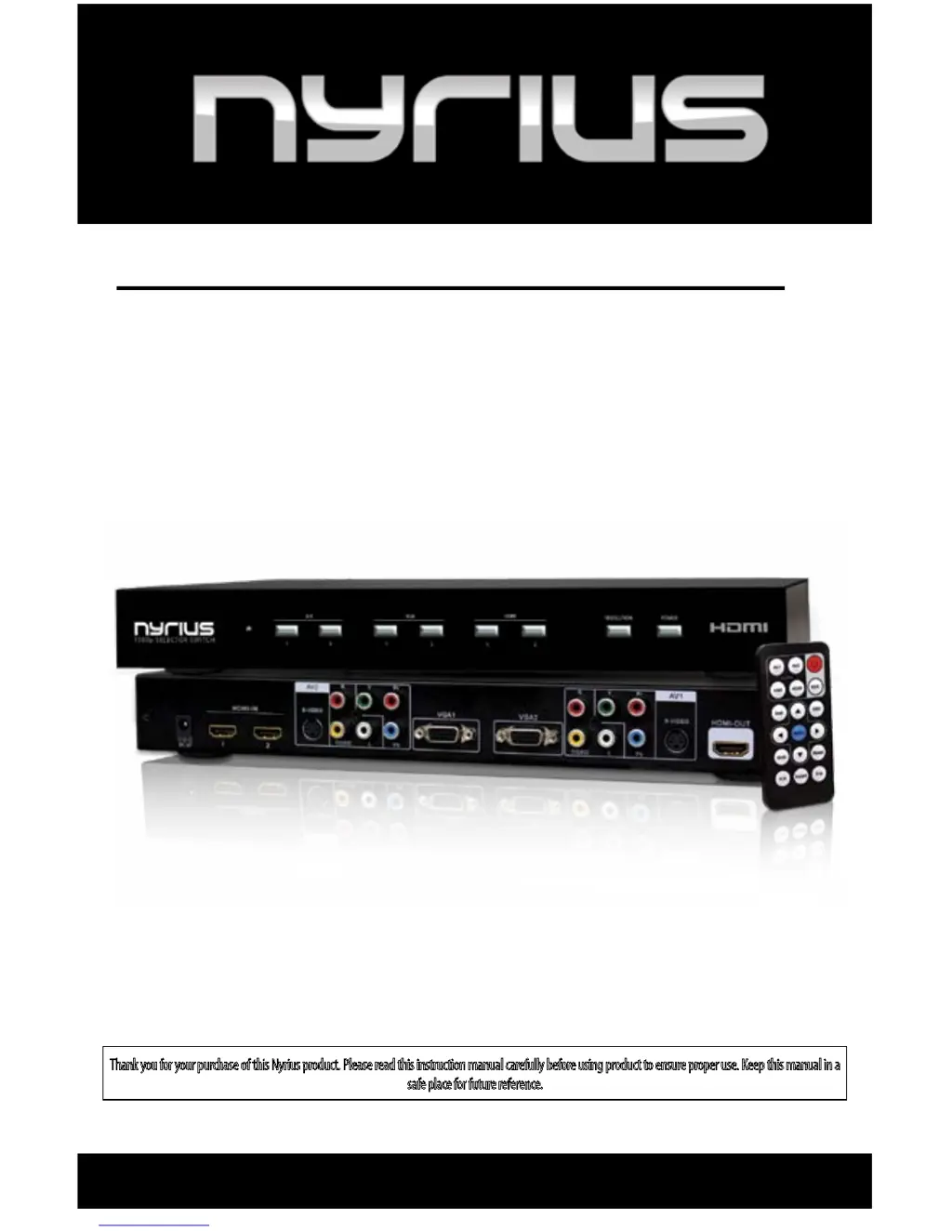
Thank you for your purchase of this Nyrius product. Please read this instruction manual carefully before using product to ensure proper use. Keep this manual in a
safe place for future reference.
USER GUIDE
1080p 6 Input Selector Switch
with HDMI, VGA, Component, Composite & S-Video
NSW500
www.NYRIUS.com

Questions and Answers

  • C
    Christopher StricklandAug 10, 2025
    What to do if there is no image on my Nyrius Switch?
    • P
      Penny WoodsAug 10, 2025
      If you are experiencing a 'no image' issue with your Nyrius Switch, please ensure that all connections are correctly and securely connected. Also, verify that the HDMI cable is undamaged and properly plugged into the correct socket. Confirm that the correct HDMI output has been selected from the HD device’s menu and that the HDMI cable is plugged into the correct output socket. Lastly, check that the correct HDMI input has been selected from the TV menu and that the HDMI cable is plugged into the input selected.
  • M
    Mary CookAug 21, 2025
    Why is my Nyrius NSW500 Switch showing image but no sound?
    • M
      Melissa BraunAug 21, 2025
      If your Nyrius Switch is displaying an image but there is no sound, first check that all connections are correctly and securely connected. Then, ensure that the cable supports video transmission and is undamaged. If the issue persists, try resetting the NSW500.
  • S
    Samantha Holmes DVMAug 29, 2025
    How to reset Nyrius Switch NSW500 that doesn't respond?
    • L
      littlemichaelAug 30, 2025
      If your Nyrius Switch NSW500 is not responding to the remote or manual controls, disconnect the power supply for a few seconds to reset the device.

Nyrius NSW500 Specifications

General IconGeneral
BrandNyrius
ModelNSW500
CategorySwitch
LanguageEnglish