User Manual
3
1 . Appearance and Keypad Operations
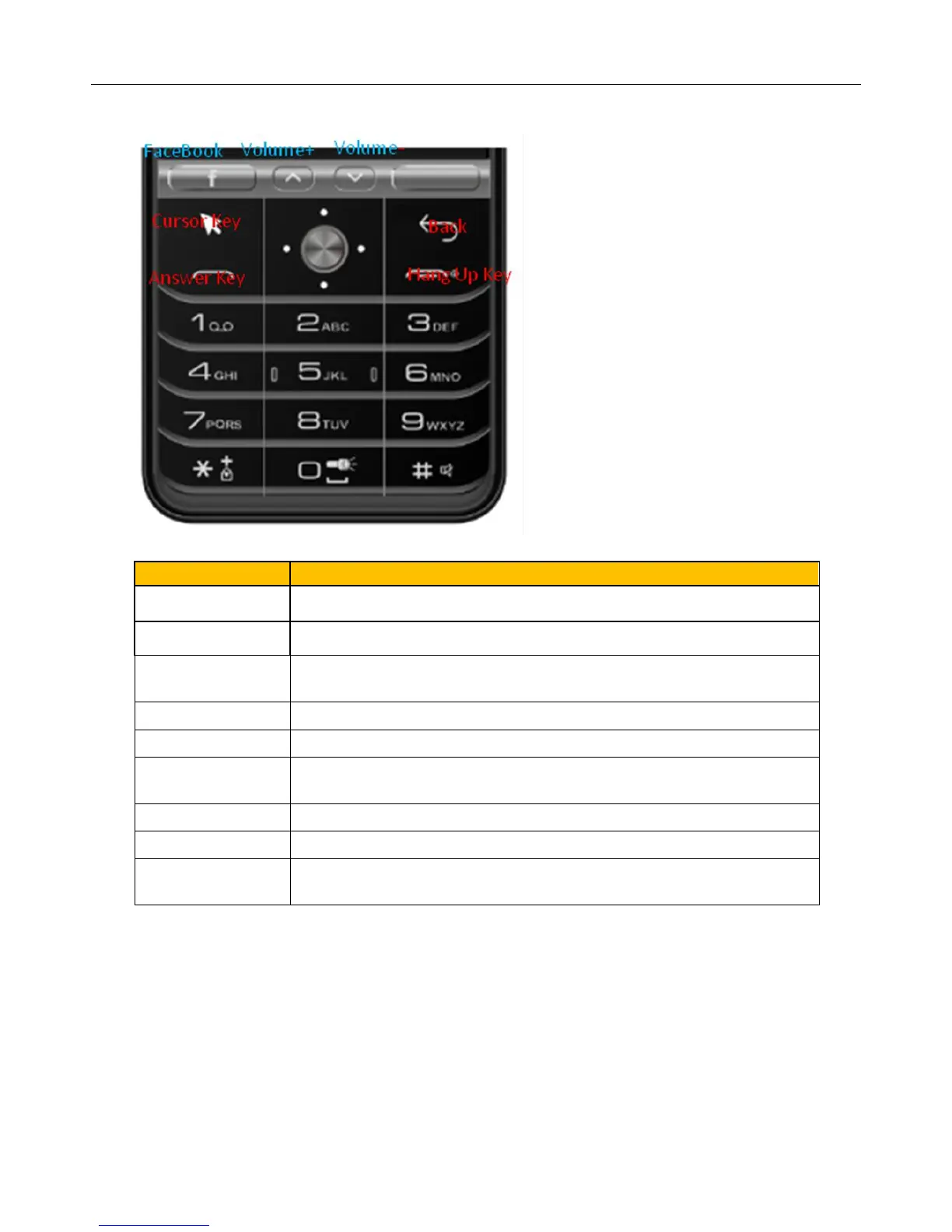
Short press this button to open Facebook
Short press this button to open Whatapp
Long press this key to switch meeting and general profile in
IDLE
Long press will unlock/lock the keyboard
Long press this key to turn on or off the flashlight
Short press to enter the menu interface
Long press to bring up the virtual cursor
Press return to the previous screen
Press to answer an incoming call
Press to hang up during a call
Other interface short press to return to the main interface
Notice:
If you can not touch the direction keys can not enter the interface,
long press the menu key to bring up the virtual cursor to enter.



 To Next Page