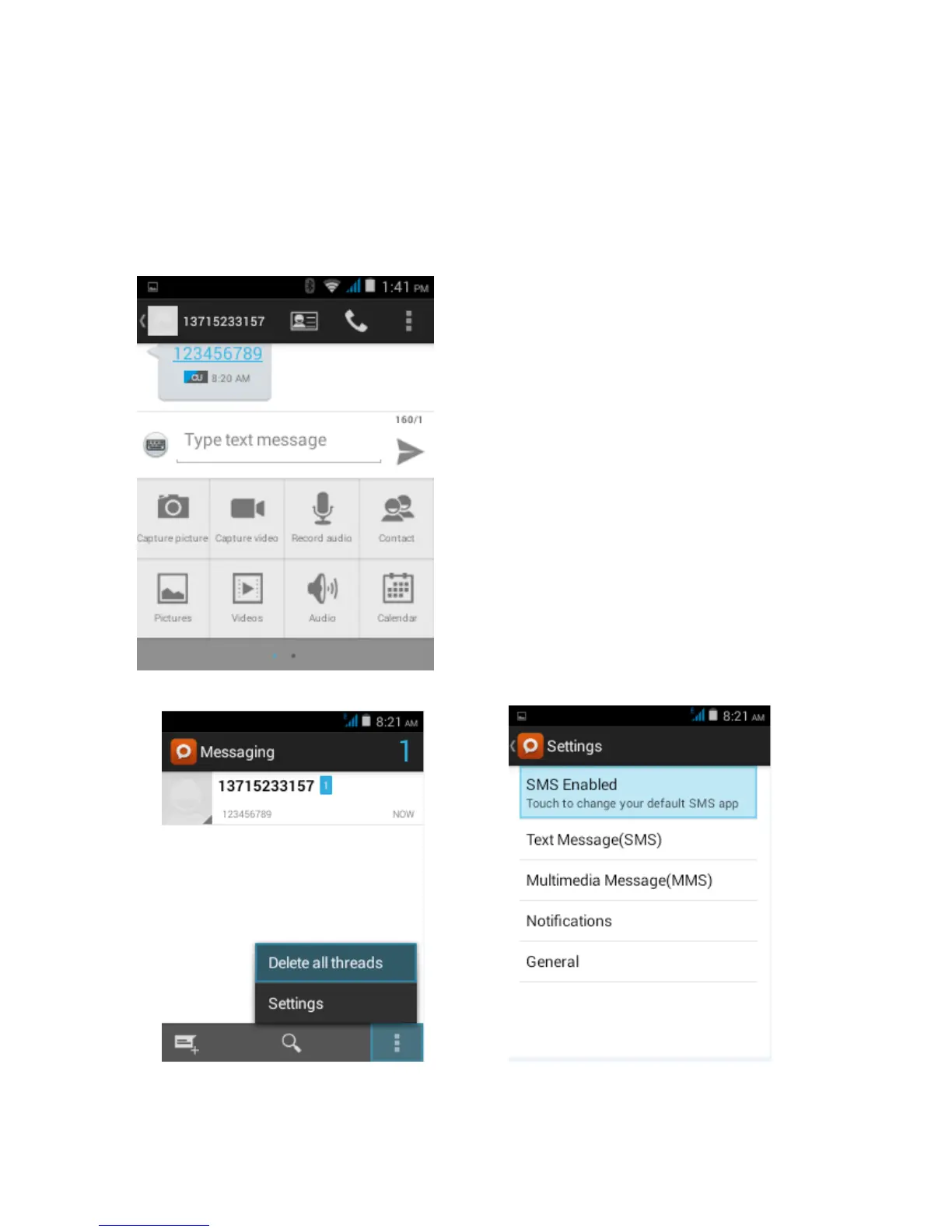
Send MMS to certain phone number
When creating message,it was defaulted as SMS,it will be turned to MMS when following operations
were done. You can send MMS via clicking “send” after editing.
1) In the interface of “edit”,Click the button of “Menu”:
Click “append”,you can spend the following attachments,then it will be turned to MMS automatically.
Send messages to multiple numbers
Enter multiple numbers in the box of entering,each number is divided by the comma in English.
Click on the right side of the head with the receiver plus icon, can choose contact group in the address book
Information list interface, Menu menu keys can be transferred to other functions



 To Next Page