20
2.12 BOTTOM FAN REMOVAL
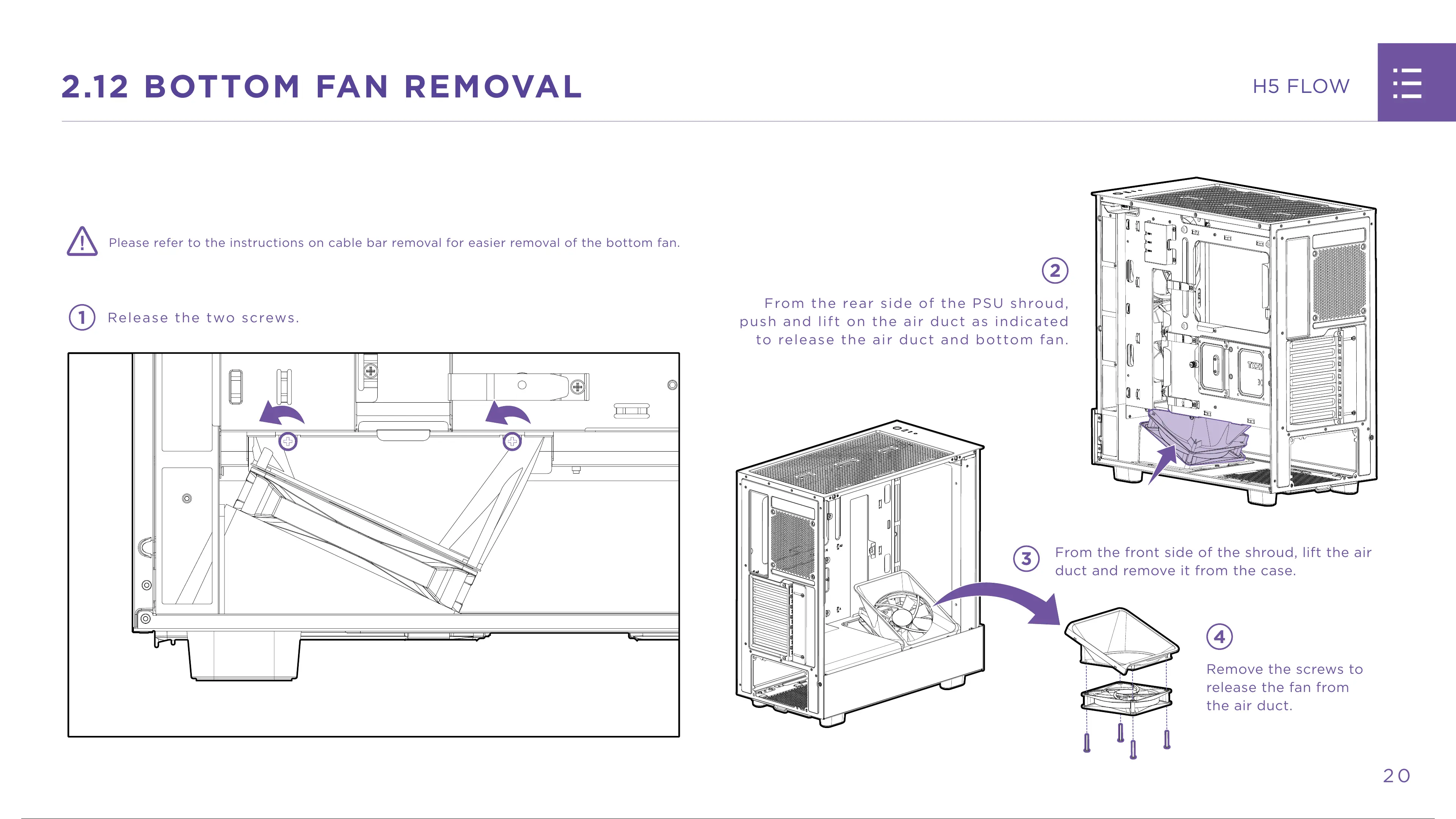
Please refer to the instructions on cable bar removal for easier removal of the bottom fan.
1
Release the two screws.
2
From the rear side of the PSU shroud,
push and lift on the air duct as indicated
to release the air duct and bottom fan.
3
From the front side of the shroud, lift the air
duct and remove it from the case.
4
Remove the screws to
release the fan from
the air duct.
22 / 36 21 / 34 22 / 36 21 / 34 22 / 36


 To Next Page