【
】
【
INSTALLATION OF THE SOFTWARE
】
【
】
・
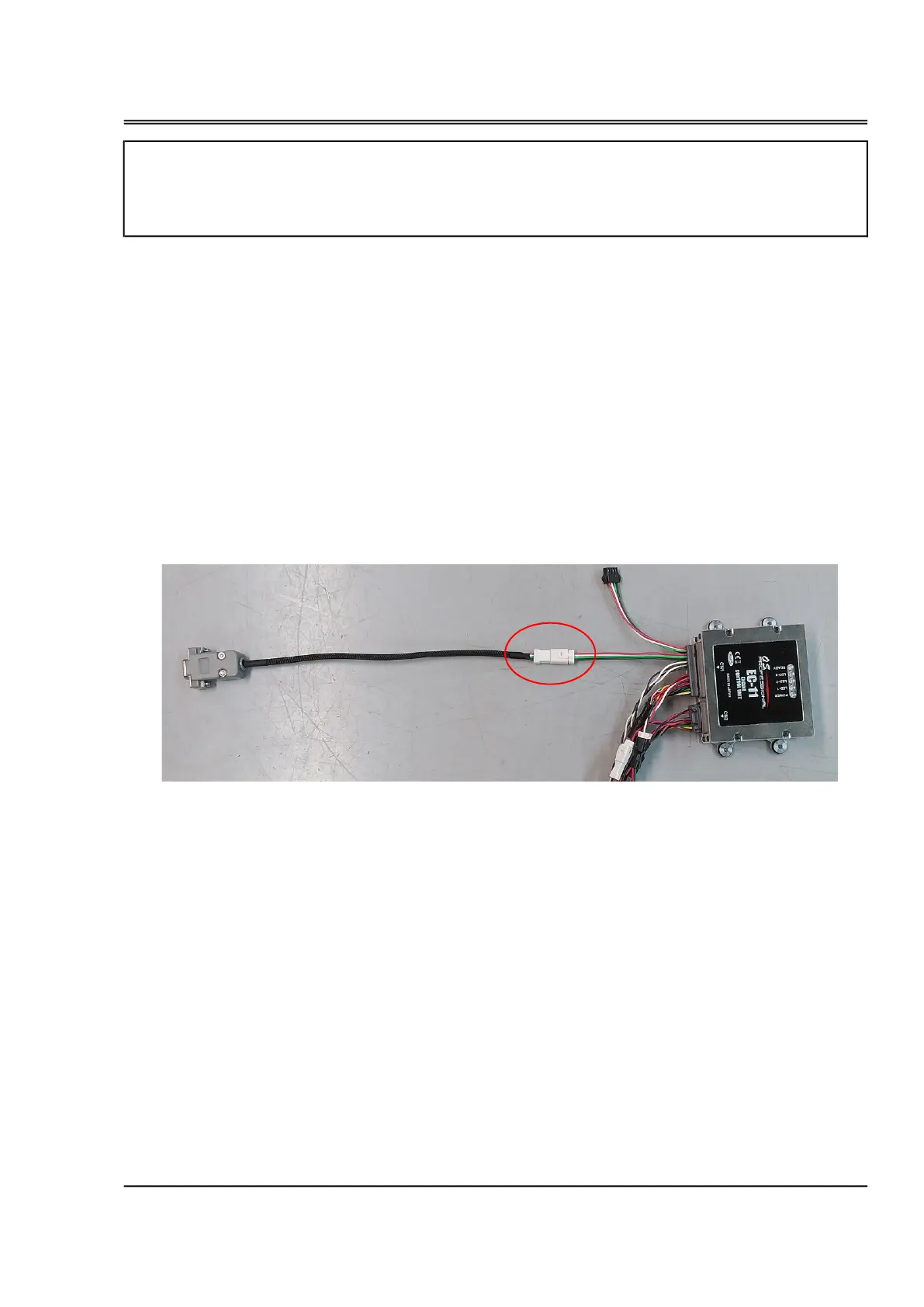
Connect the serial signal converter to the Serial Communication Connector (A-2) of the ECU.
・
Connect the ECU to the engine.
・Connect the D-sub connector of the serial signal converter to the RS232C serial port of the PC or to the
serial port of the RS232-to-USB converter.
・An Windows®(7/8.1/10) personal computer with a RS232C serial port, or a converter from RS232C
toUSB and a USB port. Install the device driver in advance in case of using a converter from RS232C
toUSB.
PREPARATION (EC11-LINK)
・EC11-LINK can be activated without connecting any sensors to the ECU. For example, in teaching of
throttle positions, you can activate the throttle servo as long as it is connected to the ECU.
・Using EC11-LINK, you can monitor the parameter data in real time and change the parameters.
After overhauling the engine, after disconnecting the throttle linkage, reset the throttle position
using the EC11-LINK.
・Copy the EC11-LINK_xxxx.exe(xxxx:Version number) file to any file in the PC, then execute the file.
・When you intend to delete the software, just delete the EC11-LINK_xxxx.exe file.
serial signal converter
to PC
A-2


 To Next Page
 Loading...