
EasyManua.ls Logo

OAKWORKS DTPM300 - User Manual

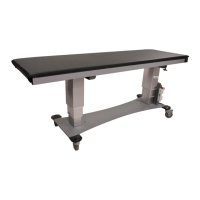
OAKWORKS DTPM300
25 pages
Print Icon
To Next Page IconTo Next Page
Loading...
SERVICE MANUAL - DTPM300 TABLES
PART NO.: MMMNSM0002
REVISION LEVEL: F

Questions and Answers

  • E
    Erin LopezAug 4, 2025
    What to do if OAKWORKS DTPM300 electric functions are not working?
    • G
      Gordon GibsonAug 4, 2025
      If the electric functions on your OAKWORKS Medical Equipment table aren't working, it could be due to a loose connection, requiring a reset, or a defective control box. For a loose connection, refer to the No Power or Loose Connection guidance. If a reset is needed, consult the Table Reset instructions specific to your table's manufacturing date: before 03/15/12, between 03/15/12 and 02/25/13, or after 02/25/13. If you suspect a defective control box, see Control Box Replacement.
  • J
    Jason GriffinAug 11, 2025
    Why are the hand and/or foot controls not working on my OAKWORKS Medical Equipment?
    • M
      Michele CampbellAug 11, 2025
      If the hand and/or foot controls on your OAKWORKS Medical Equipment are not working, the cause may be a defective hand/foot control. In this case, you should refer to the Hand/Foot Control Replacement instructions.
  • T
    Tara ShieldsAug 19, 2025
    How to fix one or both columns not working on OAKWORKS Medical Equipment?
    • A
      akentAug 19, 2025
      If one or both columns are not working on your OAKWORKS Medical Equipment, this could be due to a defective lift column. Please refer to the Lift Column Replacement instructions.
  • M
    Mario SanfordAug 27, 2025
    What to do if OAKWORKS DTPM300 Medical Equipment table has a defective/broken caster?
    • H
      Holly AllenAug 27, 2025
      If your OAKWORKS Medical Equipment table has a defective or broken caster, it is likely due to a defective caster. In this instance, please refer to the Caster Replacement instructions.

Summary

Model Number and Serial Number

Model Number Description

Details the components and meaning of the table's model number for identification.

Inspections & Maintenance

Recommended Regular Inspections

Monthly checks for cable damage and visual inspection of components for operational issues.

Recommended Periodic Inspections

Yearly checks covering cables, wiring, mechanical functions, labels, fasteners, grounding, and upholstery condition.

Maintenance Summary

Notes no specific tasks, emphasizes longevity and responsible disposal of electrical components.

Ground Point Location

Ground Point Connection

Instructions on where to connect a tester to the silver stud for grounding checks.

Troubleshooting

Troubleshooting Table

Lists common problems, their causes, and recommended actions for table malfunctions.

Repair Procedures

No Power or Loose Connection

Steps to diagnose and resolve issues related to lack of power or loose connections in the table.

Table Reset Procedure (Pre-03;15;12)

Steps to reset tables manufactured before March 15, 2012.

Table Reset Procedure (03;15;12-02;25;13)

Steps to reset tables manufactured between March 15, 2012, and February 25, 2013.

Table Reset Procedure (Post-02;25;13)

Steps to reset tables manufactured after February 25, 2013.

Control Box Replacement

Instructions and tools required for replacing the table's control box.

Hand Control; Foot Control Replacement

Procedures for replacing the hand control and foot control units.

Lift Column Replacement

Detailed procedure for removing and replacing a lift column on the table.

Caster Replacement

Step-by-step guide for removing and installing replacement casters on the table.

Schematic Diagram

Electrical Schematic

Visual representation of the table's electrical components and their connections.

Wiring Diagram

Power Cord and E-Stop Wiring

Diagram detailing the wiring of the power cord and emergency stop button assembly.

Replacement Parts List

Parts Identification

List of replaceable parts with part numbers and descriptions for ordering.

Contact and Revision Information

Contact Details

Information for contacting Oakworks Inc. for service and support.

Revision History

Records changes made to the service manual across different revisions.

OAKWORKS DTPM300 Specifications

General IconGeneral
BrandOAKWORKS
ModelDTPM300
CategoryMedical Equipment
LanguageEnglish