8
1310836-07 | MAR 02 2016
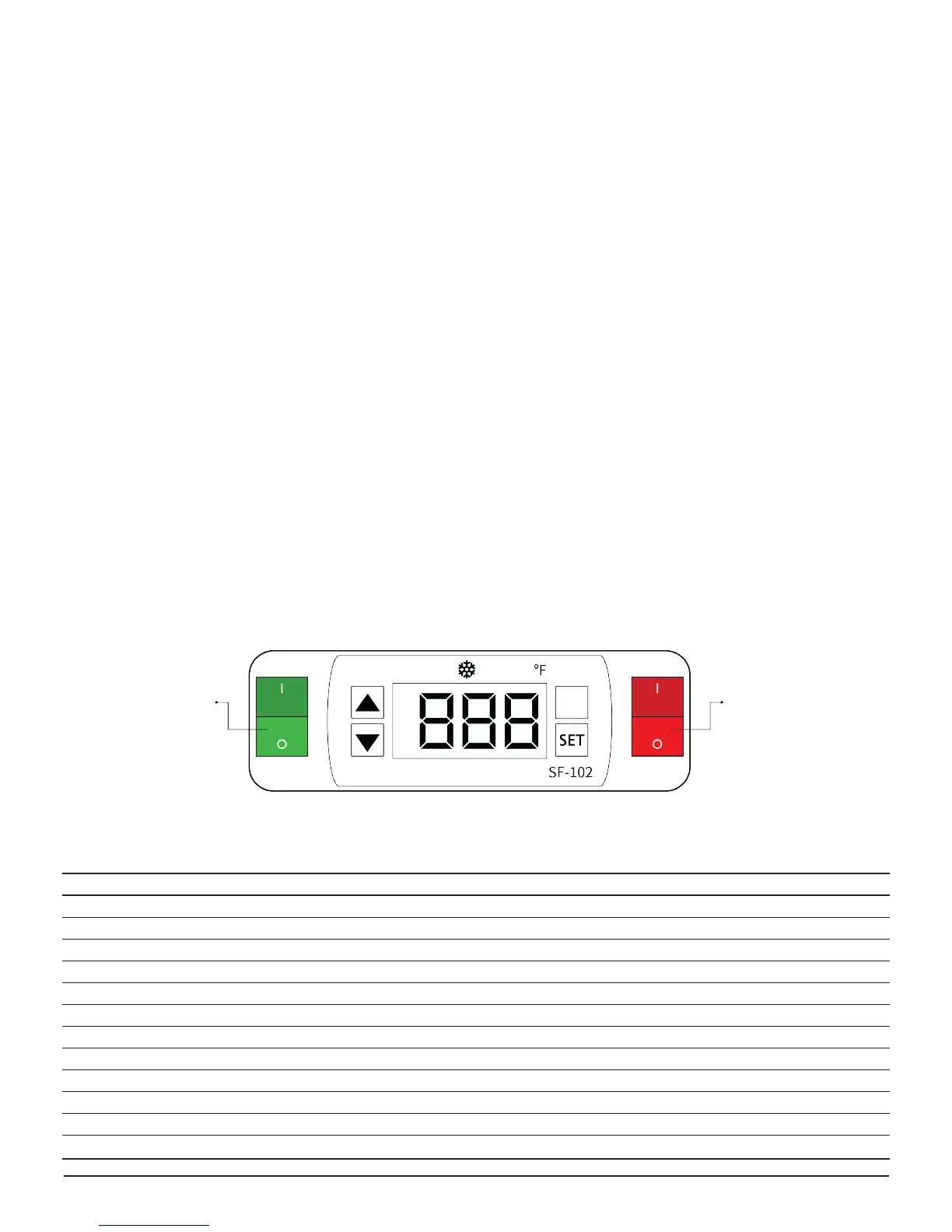
MODEL: SF-102
AN ACCESS CODE IS NEEDED TO MODIFY PARAMETERS.
PLEASE CONTACT MTL TECH SUPPORT TO RECEIVE YOUR
ACCESS CODE 1.888.685.8324
1
Set temperature (compressor stop temperature)
adjustment
• Press SET button, the set temperature is displayed.
• Press ▲ or ▼ to modify and store the displayed values
• Press SET button to exit the adjustment and display
the unit interior temperature.
• If idle for 10 or more seconds, the unit interior
temperature will be displayed.
2
Set the parameters
• Press SET button, hold for 6 seconds to enter the
parameter setup mode while E1 ashes.
• Press SET button again to toggle through the
parameters (see table below).
• Press ▲ or ▼ buttons, the value will be displayed and
can be modied and stored.
• If idle for 10 seconds the unit interior temperature will
be displayed.
FACTORY SETTINGS SF-102
Parameter Function Set Range Factory Settings
S Set Point 30-41 ºF / -1 to 5 ºC 26 ºF
E1 Lower set point limit 28 ºF / -45 ºC 24 ºF
E2 Raise set point limit 41 ºF / 45 ºC 32 ºF
E3 Temperature Hysteresis 1~18 ºF / 1-10 ºC 3 ºF
E4 Comp. start delay time 0 ~ 10 min 4 min
E5 Oset on room temp. -5 ~ 5 ºF / -5 to 5 ºC 0 ºF
E6 Oset on evap. temp. -5 ~ 5 ºF / -5 to 5 ºC 0 ºF
F1 Max. frost duration 1~60 min 40 min
F2 Defrost interval time 0 ~ 24 hr 3 HR
F3 Defrost termination temp. 32~68 ºF / 0~20 ºC 47 ºF
F4 Display during defrost 0=Norm. disp., 1=Last value before defrost 1 ºF
C1 Temperature unit °C , °F ºF
Controller Settings
Lighting
ON/OFF Switch
Cooler
ON/OFF Switch
CONTROLLER SETTINGS
Please verify the make and model of the controller before going forward.


 To Next Page