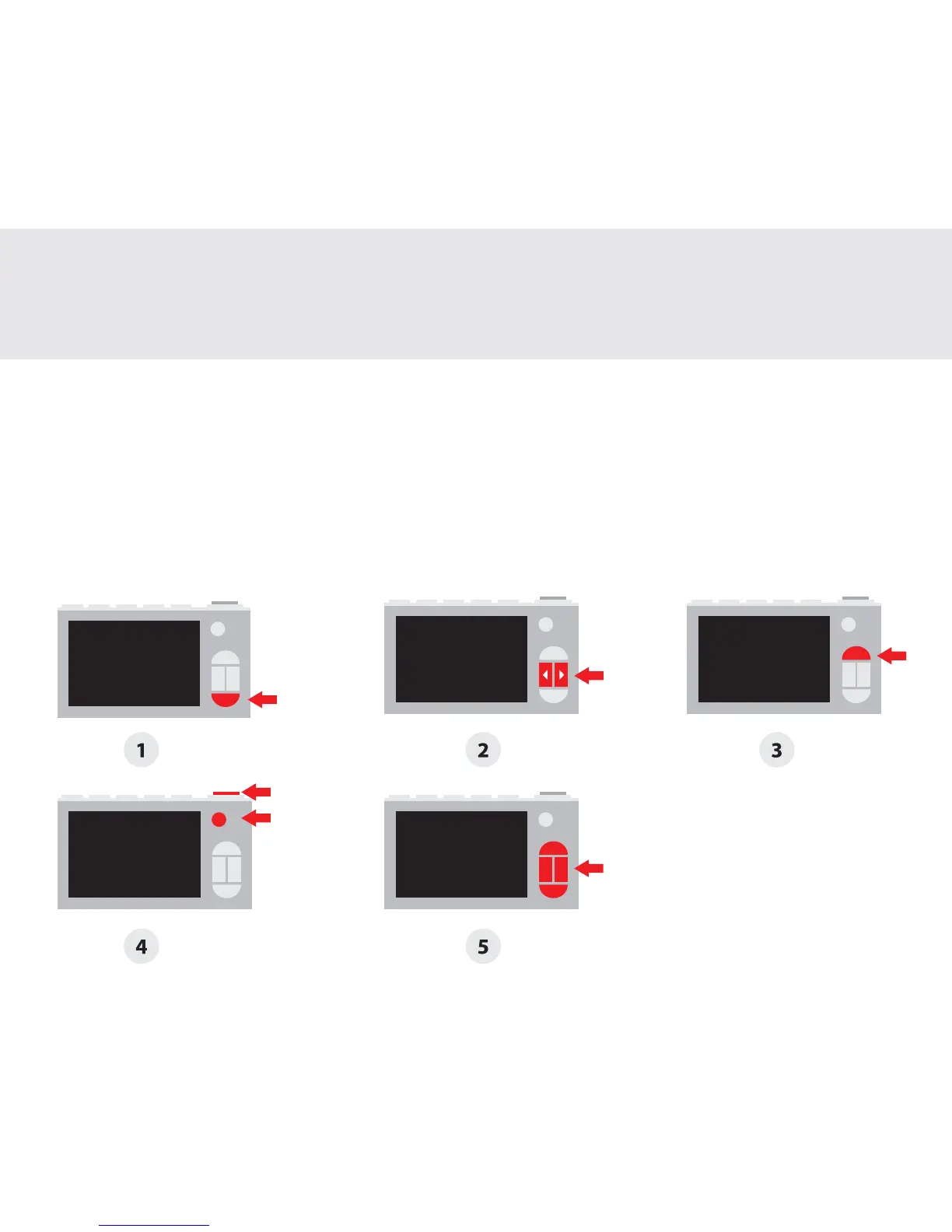
1. With the camera turned on, press the ‘Gallery’ button to view photos and videos stored on the
microSD card.
2. Navigate between images by pressing the ‘Left’ or ‘Right’ buttons. To play a video, press the
‘Shutter’ button.
3. To delete a photo, press the ‘Settings’ button to bring up the delete menu. To select, press the
‘Shutter’ button. To cancel, press the ‘Settings’ button.
4. Press the ‘Shutter’ or ‘Power’ button to zoom in or out of an image.
5. When zoomed, navigate using the ‘Settings’, ‘Gallery’, ‘Left’ and ‘Right’ buttons.
Gallery
Galerie | Galería | ギャラリー
4


 To Next Page