Need help?
Do you have a question about the Observa Telecom BHS-RTA S and is the answer not in the manual?
Details the items included in the ADSL Home Station package.
Essential guidelines to prevent damage and risks from fire or electric power.
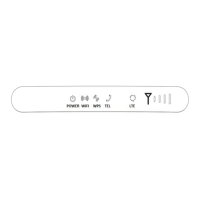
Description of device LEDs and physical connection interfaces.
Specifies the necessary hardware and software for PC connectivity.
Lists the various capabilities and functionalities of the ADSL Home Station.
Detailed instructions for connecting the ADSL Home Station and related components.
Instructions for accessing the router's reduced web interface for initial configuration.
Guides through setting up internet and Wi-Fi connection using the wizard.
Configuration options for the wireless network, including SSID and security.
Checking the status of the internet connection after initial setup.
View system, WAN, LAN, DSL, and DNS status for the router.
Configure wireless network parameters, security, and advanced options.
Configure DSL, ATM, 3G, VPN, and ETH/GRE WAN connections.
Configure DHCP, DNS, Firewall, UPnP, RIP, and DMS services.
Utilize tools like Ping, Packet Dump, and ADSL connectivity tests.
Manage firmware, passwords, logs, backup, and remote access settings.
 General
| Brand | Observa Telecom |
|---|---|
| Model | BHS-RTA S |
| Category | Network Router |
| Language | English |

 To Next Page