EasyManua.ls Logo

Octave HP 700 SE - User Manual

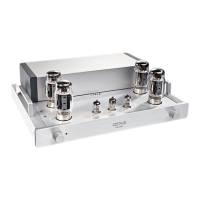
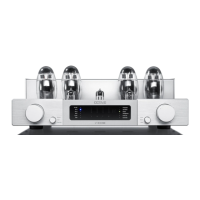
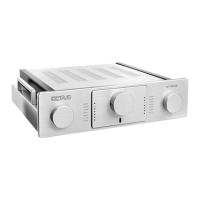
Octave HP 700 SE
38 pages
Print Icon
To Next Page IconTo Next Page
Loading...
HP 700 SE
Owner's Manual
English

Questions and Answers

  • J
    Jesse WilliamsAug 8, 2025
    Why are the channels not balanced on my Octave Amplifier?
    • J
      Jason CoxAug 8, 2025
      If the channels on your Octave Amplifier aren't balanced, it could be due to damaged cables or poorly fitting RCA plugs creating resistance. Try using new cables or cleaning the plugs and sockets with isopropyl alcohol. Also, a faulty tube can cause a drop in output and distortion in one channel, so consider replacing the tube.
  • G
    Gregory WernerAug 14, 2025
    How to fix hum and crackling in Octave Amplifier?
    • K
      Katelyn TaylorAug 15, 2025
      Humming and crackling in your Octave Amplifier could be due to multiple system components being grounded individually, which creates a ground loop. To resolve this, connect the XLR output on the HP 700 SE without a ground connection to interrupt the ground loop. Alternatively, use the IN 8 line input module, as this transformer-coupled XLR input module allows for ground separation.
  • R
    Ricky MaldonadoAug 23, 2025
    What to do if there is increased noise on one channel of Octave Amplifier?
    • K
      Kayla PetersAug 23, 2025
      If you notice increased noise on one channel of your Octave Amplifier, especially if the noise level varies, it likely indicates a faulty or worn driver tube. The solution is to replace the worn tube.
  • J
    Julie RosarioAug 29, 2025
    Why does my Octave Amplifier make clicks and pops?
    • I
      Ian GlassAug 29, 2025
      Clicks and pops in your Octave Amplifier can be caused by radio interference from older refrigerators or 12V halogen lamps. The solution is to use a single-power socket board for your entire system and try a different power outlet in your listening room.

Summary

Introduction to the HP 700 SE

Welcome and Product Overview

Welcomes the user and introduces the OCTAVE HP 700 SE tube preamplifier.

OCTAVE Technology and Philosophy

OCTAVE Amps vs. Other Tube Amplifiers

Compares OCTAVE amplifiers' design philosophy and sound characteristics to traditional tube amplifiers.

HP 700 SE Model Description

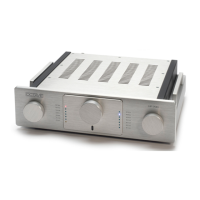
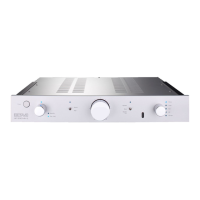
Details the HP 700 SE's features, including precision technology, PSU, bypass, and modular inputs.

Safety, Placement, and Warranty

Important Safety Precautions

Covers crucial safety measures, service guidelines, and explains warning symbols used in the manual.

Placement and Ventilation Guidelines

Provides guidance on optimal placement, ensuring proper ventilation and avoiding potential hazards.

Warranty Conditions

Outlines the terms and conditions for the unit's warranty coverage by OCTAVE.

Setting Up the HP 700 SE

Checking Delivery Contents

Lists the items included in the package to ensure all components are present before setup.

Connecting the Amplifier

Provides step-by-step instructions for connecting the HP 700 SE, including pre-operation checks and warm-up.

Initial Running-In Procedure

Explains the initial endurance run for tubes and the expected sound quality improvement over time.

Operating the HP 700 SE

HP 700 SE Front Panel Controls

Details the function of each control and indicator on the front panel of the HP 700 SE.

Connecting the HP 700 SE

HP 700 SE Rear Panel Layout

Identifies and explains all input and output connectors on the rear panel of the HP 700 SE.

External Power Supply Details

Front and Rear of Power Supply Unit

Describes the controls on the front and the connections on the rear of the external power supply unit.

Multi-channel System Integration

Using the HP 700 SE in Multi-channel Setups

Explains how to integrate the HP 700 SE into a home theater or multi-channel audio setup.

Remote Control Operation

Remote Control Elements and Battery Replacement

Details the remote control's buttons and provides instructions for replacing the batteries.

Tube Information and Maintenance

Line Stage Tube Layout

Illustrates the placement of tubes in the line stage and specifies their types.

Phono Stage Tube Layout

Shows the tube configuration for the phono stage and lists the German and international designations.

Control Unit Tube Layout

Details the tube placement in the control unit and provides instructions for replacing the V7 tube.

Tube Replacement and Service Life

Provides warnings and steps for replacing tubes, and estimates their typical service life.

Optional Features and Configurations

Additional Line Level Input Module

Explains how to install and lists available optional line-level input modules for expanded connectivity.

HP 700 SE with Phono Option

Details the phono RIAA stage, subsonic filter, module assembly, and available phono input modules.

HP 700 SE with Control Unit Option

Describes the features of the control unit, including output selection, level adjustment, and tone controls.

HP 700 SE with Stepped Attenuator Option

Explains the benefits and functionality of the optional 47-step volume control for precise adjustment.

Troubleshooting Common Issues

Audio Problems and Solutions

Addresses common problems like hum, clicks, pops, channel imbalance, and noise with their respective solutions.

Technical Specifications and Diagrams

Input and Output Specifications

Lists the technical specifications for all inputs and outputs of the HP 700 SE.

Physical Dimensions

Provides the physical dimensions for the main unit and its external power supply in millimeters.

Performance Diagrams and Measurements

Presents diagrams for frequency response, interference spectrum, control range, and noise level.

Octave HP 700 SE Specifications

General IconGeneral
Power Output70W per channel (8Ω)
Signal-to-Noise Ratio>90dB
Input Impedance100kΩ
TypeIntegrated Amplifier
Output Impedance4/8 Ohms
Damping Factor10

Related product manuals