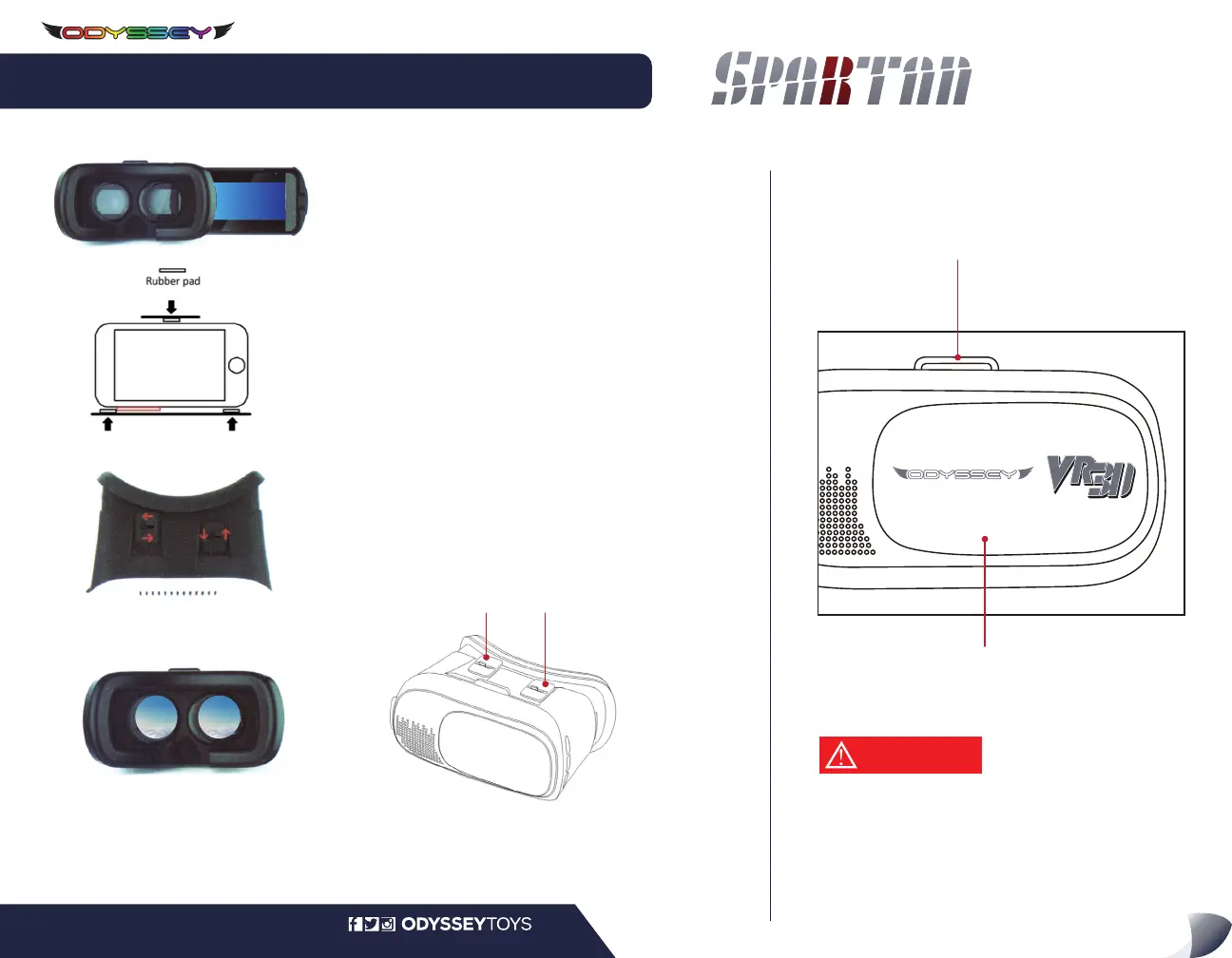
INSTALL YOUR SMARTPHONE INTO THE VR 3D HEADSET
From the left side of the headset, pull to slide out the
front panel to expose the smartphone holder in the VR
3D headset.
Push the plastic and rubber clamp up, place your
smartphone in and gently release clamp to hold your
phone in place.
NOTE: The size of the smartphone should not exceed
6.4” (163 mm) x 3.25” (83 mm). Do not charge your
smartphone while it is within the Odyssey VR 3D
Headset.
1.
Start the Odyssey VR app on your smartphone, select the
VR Split-Screen Display option and slide the smartphone
back into the headset.
You can adjust the lenses to clarify the view by using the
two adjusters on the top of the VR 3D Headset.
2.
Your Odyssey VR 3D Headset is also compatible with other amazing Virtual Reality
experiences. Download other VR apps and games on both the App Store and Google Play.
For the best performance, adjust the goggles so that
the center of your eyes align with the glass centers
on the goggles. You can adjust the straps for the
best fitment on your head.
For other apps and games, removal of the front panel
is possible to expose the camera on your smartphone.
1. If you experience dizziness or nauseous, stop using the app and
Odyssey VR 3D headset immediately.
2. Those with a fear of heights or claustrophobia should take care
using the app and headset. Discontinue use if you feel any discomfort.
SETTING UP YOUR ODYSSEY VR 3D HEADSET
FLIP OVER to SET UP ODYSSEY VR APP
LIVE STREAMING
HD VIDEO DRONE
with 3D VR HEADSET
www.OdysseyToys.comCare@OdysseyToys.com •
START YOUR APP and ADJUST YOUR HEADSET
CAUTION


 To Previous Page