USING the ODYSSEY VR 3D REMOTE & CAMERA APP
FUNCTIONAL SPECIFICATIONS
To use your smartphone to control the Spartan Drone and view the in-flight Drone camera, first download the
Odyssey VR app for iPhone, iPad or iPod Touch on the iTunes App Store or for Android devices on Google Play.
TURN ON THE DRONE
Use the power switch on the Spartan Drone to power up the unit.
1.
SETUP YOUR PHONE WIFI SETTINGS
On your smartphone, in “Settings,” search for the WiFi signal “Odyssey WiFi”
from your Drone. Click on it to establish a connection. This is the same for both
iOS and Android devices.
2.
START UP THE APP
Open the ODYSSEY VR app on your smartphone and click to choose the Drone
camera. Tap on “HD” for your Spartan’s HD Video Camera.
3.
Pull up the left joystick on the screen and then pull it down to establish the
connection, which is complete when the LED lights on the Drone stop blinking.
FLIP OVER to SET UP YOUR ODYSSEY VR 3D HEADSET
LIVE STREAMING
HD VIDEO DRONE
with 3D VR HEADSET
PAIR the APP to the DRONE4.
Click the onscreen HOVER START button to start the rotors/propellers. At the
top of your screen, you can select from a number of options.
START YOUR ENGINES!5.
Use the main screen (A) with the controls if you wish to use the app to control
the Spartan Drone. If you wish to use the Remote Control and use the app as a
live video stream, click the FULL button to enter the full-screen display (B). Or
click the GLASSES button to enter the VR split-screen display, which requires
the Odyssey VR 3D (Virtual Reality) headset (turn sheet over) to view the video
feed in Odyssey Virtual 3D (C).
READY for the VR and ENTERING the 3rd DIMENSION!6.
ODYSSEY WiFI
1 2 31 2 3
1
2 3
4
5
6 7 8
9 10 1112 13 14 15
16
17
18
19 20 21 22
23
24
2
3
4
5
6
A
B
C
1. BACK
2. FILES (see below)
3. GRAVITY MOTION CONTROL
4. SPEED SETTINGS (30% / 60% / 100%)
5. HOVER START / STOP
6. TAKE PICTURE
7. TAKE VIDEO
8. IMAGE MODE INTERFACE
9. HEADLESS MODE
1.BACK/HOME 2. PHOTO IMAGES 3.VIDEO RECORDINGS
10. 360° FLIP
11. AUTO-BACK FLY
12/13. TURNING LEFT/RIGHT TRIM
14/15. LEFT/RIGHT SIDE TRIM
16/17. FORWARD/BACKWARD TRIM
18. ASCEND / DESCEND
19/20. TURN LEFT/RIGHT
21/22. LEFT/RIGHT
23/24. FORWARD/BACKWARD
www.OdysseyToys.comCare@OdysseyToys.com •

 Need help?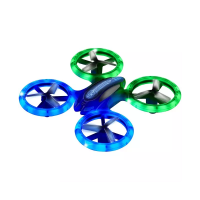

 To Next Page
 General