press or to modify the current setting. If you need to modify the previous parameters, please press key. After modified minute,you
can press to exit the system clock settings.
[Automatic / manual switch]
Press you can choose the manual mode or automatic mode.
Manual mode: System will control temperature under the set value without any change. The set temperature is going to be the most comfortable
temperature. There would be no icon or week/ Stage displaying.
Automatic mode: System would control temperature according to the preset temperature values in different time. The icon will lit, which
means that the system is running under automatic mode. The week and Stage icon would alternately display every 5 seconds, 1-7 is
systematic reuse. When screen shows WEEK, 1-7 would display the values of the week. When screen shows STAGE, 1-6 would display the
current values.
[Setting the periods of time modes]
The periods setting can realize the control of temperature and time under automatic mode. Once setting up, the values could be saved and
reused in the thermostat forever.
The thermostat can save three kinds of schedules (5+2 / 6+1 / 7) in 6 periods; One week for a cycle.
Each data is saved as the start time (hours: minutes) and the temperature degree of this period. The end time of the period would be saved as the
start time of next period. You can also shut down a certain period according to your actual needs.
Press the for 5 seconds, you will enter into the period setting (See the right picture following).
Press button to select the object you want to modify (the period start time: hours, minutes and
set temperature), press or to modify the corresponding value. If you want to turn off a period,
please press until the OFF option shows. You can use the to back to the previous setting.
The system’s default period is 5+2. For specific data, please see the following table. User can modify the period by entering into the programming
interface:
For example:When the system time is Friday 08:20 under automatic mode, display would show as: STAGE 2 and the setting temperature value
would be 15 degrees.
[Lock ]
Press key for 2 seconds at the same time, the controller keypad would be locked. Screen would show .
Press the at the same time for 2 seconds under the locked status, keypad would be unlocked.
[System setting]
Warning: System setting is used to set some important parameters of the system, that’s only for professionals’
operation. Do not make any improper modification by yourself. The item has already been debugged and tested by
professionals, there is no need to reset.
Enter the system setting: Press to switch on the thermostat when the unit is turned off. Within the next second please press Key as
soon, you will enter into system setting.
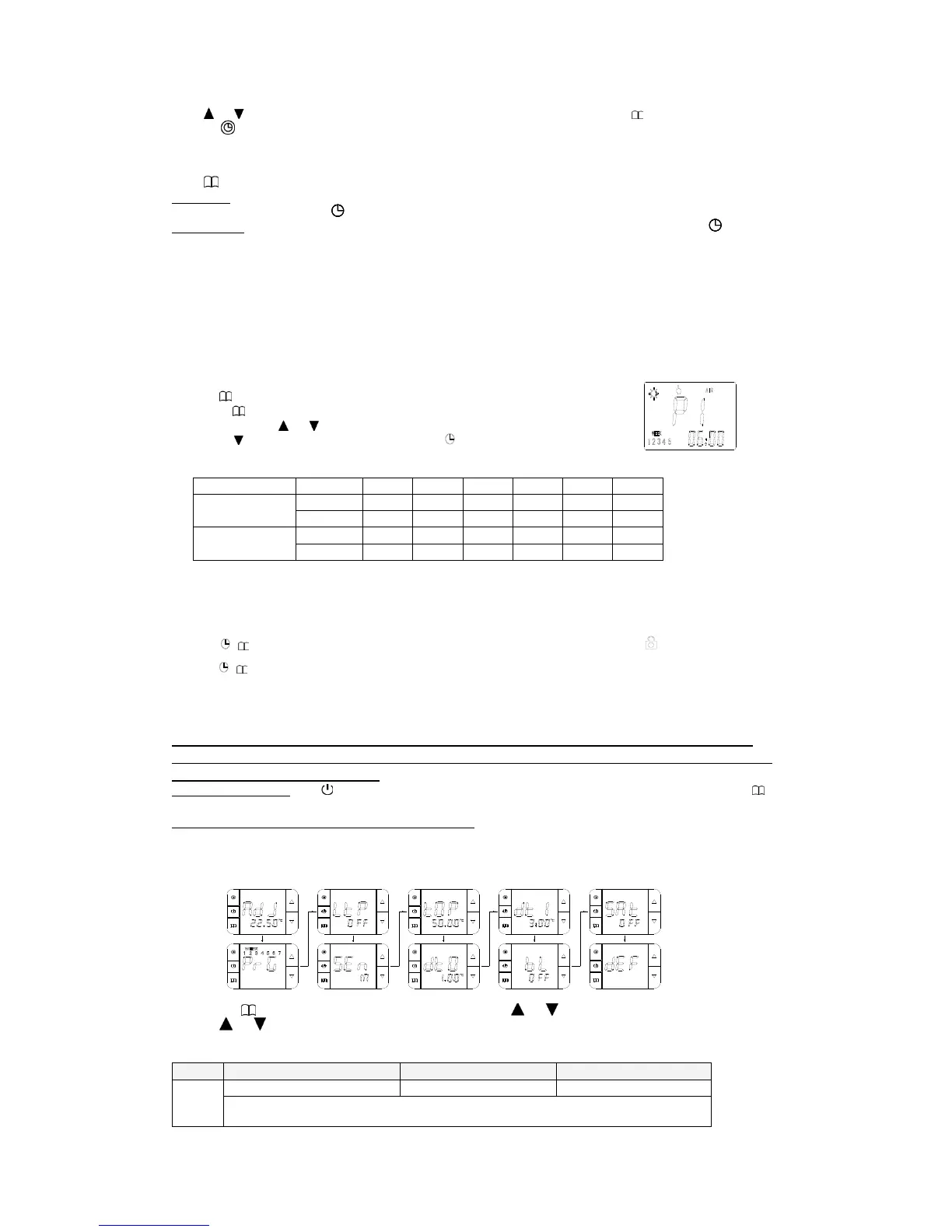
The system menu parameters in order of appearance: AdJ->PrG->LtP->SEn->Top->dt0->dt1->bL->Sat->dEF,
The thermostat’s monitors displaying type is LCD segment displaying. There are some differences between the displayed value and practical
value.
Please make reference to the specific figure:
You can press to switch the system parameters. At the same time press or to modify settings. Select a set value. If you do not
press the or , the parameters would not be modified. If you want to save the data, you must go through all the functions then exit the
system menu.


 To Next Page
 Loading...