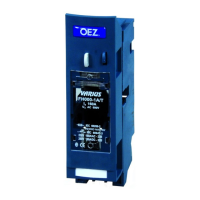
Need help?
Do you have a question about the OEZ BL1600SE320 and is the answer not in the manual?
Identifies the BL1600SE320 switching unit for which these instructions are provided.
Ensures installation, service, and maintenance are performed only by authorized personnel with relevant qualifications.
Specifies the torque of 1.8-2.5 Nm for M4x18 screws during mounting.
Highlights attention required for the ETU (Electronic Trip Unit) during mounting.
Details mounting the SE-BL component with M5x100 screws at 2 Nm torque.
Mandates operation only with an overcurrent release or SE-BL block for safety and functionality.
Describes the roles of auxiliary switches, relative switches, and auxiliary releases.
Details circuit-breaker states (open/closed) and their relation to component activations.
Step-by-step guide for inserting SP, SV-BL, and PS-BL-2200 accessories into the unit.
Illustrates the wiring schematic for the BL1600SE320 with various accessories and terminal identification.
Details the disconnected position and 'not arrested' state of the circuit breaker.
Explains the withdrawn position for inspection and the 'arrested' state.
Shows the 'engaged' or 'working' position and related indicator states (green, not arrested).
Illustrates the 'arrested' state, indicated by red color, during engagement.
Details the 'not arrested' state during withdrawal, indicated by red color.
Shows the withdrawn position for inspection, indicated by green color.
Illustrates the 'not arrested' state, typically associated with green indicators during engagement.
Depicts the disconnected position, indicated by green color, for safety.
Details the process of locking the withdrawable device when in the disconnected position.
Explains how to lock the withdrawable device when in the withdrawn (inspection) position.
Provides dimensional data for the withdrawable device and illustrates the engaged (working) position.
Recommends disconnecting supply voltage and pressing TEST before manipulating units with motor drives.
Covers ROHS and WEEE compliance, stating the use of low-impact materials and electric waste regulations.

 To Next Page
 General