The DEYE Microinverter SUN series, offered by Offgridtec GmbH, is a crucial component for photovoltaic (PV) systems, designed to convert direct current (DC) generated by solar panels into alternating current (AC) for everyday use. This user manual provides comprehensive safety, installation, operation, and maintenance instructions for the microinverter, emphasizing the importance of professional handling and adherence to safety guidelines to ensure efficient and safe operation.
Function Description:
The DEYE Microinverter SUN is an off-grid microinverter that operates by converting the DC output from individual PV modules into AC power. Unlike string inverters, microinverters are installed directly at each solar panel, allowing for independent optimization of power generation from each module. This design minimizes the impact of shading or performance issues on one panel from affecting the entire array. The converted AC power can then be used to power household appliances or other electrical loads. The system is designed for stand-alone operation, meaning it is strictly forbidden to connect the inverter to the public grid or to connect multiple units in parallel or series, as this could lead to damage.
The microinverter integrates with a monitoring device, the Solarman Smart App, which allows users to track the performance of their PV system. After installation and configuration, the app displays real-time data such as current production power, daily production, and anticipated yield. This feature enables users to monitor their energy generation and ensure the system is operating optimally.
Important Technical Specifications:
While specific numerical technical specifications are not explicitly detailed in the provided excerpts, several key operational parameters and requirements are highlighted:
- Start-up Voltage: The PV module must generate a start-up voltage of 20V (under load) for the inverter to begin feeding power.
- Battery Connection: The inverter must be connected to a battery. A minimum battery capacity (Ah) is recommended, calculated as five times the current equal to the rated output power of the inverter divided by the battery voltage. This ensures adequate energy storage and stable operation.
- Cable Cross-section: For electrical connections, the cross-section of the wire should not be less than 4mm². This ensures proper current flow and prevents overheating.
- DC Input Voltage: The DC input voltage must correspond exactly to the parameter table. High or low DC input voltage can affect the normal operation of the inverter and may cause damage.
- Battery and Inverter Connection Length: The length of the connection between the battery and the inverter should be less than 3 meters. If the length exceeds 3 meters, the current density of the connection line should be reduced.
- Fuse/Breaker: A fuse or breaker should be used between the battery and the inverter to protect against overcurrents. The rated current of the fuse or breaker should be twice the inverter input current.
- AC Output Terminal: The AC output terminal is only for connecting to the load. It is not intended for connection to other power sources or the utility grid.
- WiFi Connectivity: The microinverter includes a WiFi antenna for connecting to the Solarman Smart App. The app requires a 2.4G frequency band for WiFi connection. The default password for the inverter's WiFi interface is "12345678".
Usage Features:
The DEYE Microinverter SUN is designed for user-friendly operation, with several features that simplify its use:
- Easy Installation: The manual provides clear diagrams for connecting the microinverter(s) to PV modules and the AC string, including grounding instructions.
- Status LED Signals: The microinverter features a status LED that indicates different operational states:
- 3-fold fast red flashing intervals: Start procedure.
- 2-fold slow red flashing intervals: Test procedure.
- Blue flashing intervals (slow = low output power / fast = high output power): Feeding process.
- Solarman Smart App Integration: The dedicated smartphone app allows users to:
- Download and install the app on iOS or Android devices.
- Register and create a new plant profile.
- Enter plant information, including plant name, time zone, plant type (residential rooftop), system type (self-consumption, all on grid, storage system), installed capacity (kWp), operating date, currency, unit price (EUR/kWh), and total cost (EUR).
- Add the WiFi interface (logger) of the inverter by manually entering or scanning the WiFi serial number.
- Connect to the inverter's WiFi network and configure it to connect to the user's home WiFi network.
- Monitor real-time and historical data of the PV system's performance.
- Off-grid Operation: The inverter is specifically designed for off-grid applications, providing energy independence from the public grid.
Maintenance Features:
Maintaining the DEYE Microinverter SUN involves several safety precautions and recommended practices to ensure its longevity and safe operation:
- Pre-installation Checks: Before installation, ensure the inverter is not electrically connected and there is sufficient space for heat dissipation. Avoid installing the inverter in harsh environments (humid, greasy, flammable, explosive, or dusty).
- Regular Checks: It is recommended to check the inverter with a test device to ensure it is free of voltage and current before any maintenance work.
- Warning Signs and Barriers: When performing electrical connection and maintenance work, temporary warning signs and barriers should be erected to prevent unauthorized personnel from entering the work area.
- Static Damage Prevention: To avoid static damage, wear an anti-static wrist strap or avoid unnecessary contact with the circuit board during maintenance.
- Cool-down Period: If the inverter has not been in operation for five minutes, the conductive modules may be touched. However, it is crucial to wait at least ten minutes after the inverter has been turned off before touching or opening the enclosure, as hot surfaces can cause scalds.
- No User-Serviceable Parts: The inverter does not contain any parts inside that require maintenance by the user. All repairs and troubleshooting should be handled by professional and technical personnel.
- Troubleshooting App Issues: If the Solarman Smart App encounters issues, exiting and relaunching the app may help. Ensure the smartphone's operating system is up to date to avoid compatibility problems.
The manual strongly emphasizes that all installation, operation, and maintenance tasks should be performed by professionally trained and technically qualified personnel who are familiar with relevant electrical safety regulations. This ensures the safety of individuals and property, as well as the proper functioning of the DEYE Microinverter SUN system.

 Need help?
 General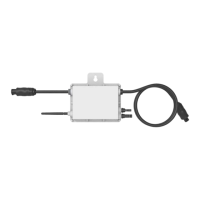

 To Next Page