EasyManua.ls Logo

OFX PBX-8181 User Manual

OFX PBX-8181
6 pages
To Next Page IconTo Next Page
Page #1 background imageLoading...
Page #1 background image
!
!
!
REMOTE CONTROL
1.Power button
2.Play/ Pause
3.EQ sound effect mode button
4.USB/RADIO Numeric button
( pick the song/station program you want )
5.Mode button(Press to enter into selection for Bluetooth,
FM Radio,AUX Input,USB,TF)
6.Mute button
7.Previous
8.Next
9.Volume +/-
10.Single Repeat(For USB/TF card playing mode)
11.USB/SD(TF) button
FM FUNCTION
Lightly press MODE/LIGHT button to switch to FM mode. Press PLAY/PAUSE
button on control panel for automatic searching and saving the radio
stations, by pressing PREVIOUS or NEXT you can select a previous or next
radio station.
Press 0~9 from remote to choose the FM stored station.
Bluetooth:
Lightly press MODE/LIGHT button on control panel to select Bluetooth mode.
Simultaneously open the Bluetooth setting on your phone, tablet or any other
Bluetooth enabled audio device and select "QFX PBX-8181"(no need to match
code),the unit and device will then connected via Bluetooth. Press the "NEXT
SONG" and "PREVIOUS SONG" button on the control panel to select the song,
press " PLAY/PAUSE" button to control the playing status.
3
!
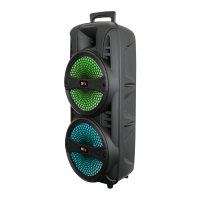
PORTABLE SPEAKER
User Manual
PBX-8181
Question and Answer IconNeed help?

Do you have a question about the OFX PBX-8181 and is the answer not in the manual?

OFX PBX-8181 Specifications

General IconGeneral
BrandOFX
ModelPBX-8181
CategoryPortable Speakers
LanguageEnglish

Summary

REMOTE CONTROL

Remote Control Buttons

Details the functions of each button on the remote control, including power, playback, mode selection, and numeric inputs.

FM Functionality

Explains how to use the remote for FM mode, including tuning and station selection.

Bluetooth Connectivity

Details connecting and controlling devices via Bluetooth using the remote.

SPEAKER CONTROL PANEL

Control Panel Overview

Provides a detailed description of all ports and buttons on the speaker's control panel.

Power Source and Charging

Explains how to charge the speaker, indicating charging status and initial charging duration.

Speaker Controls and Modes

Details the operation of volume control, playback buttons, mode selection, and lighting functions.

Input and Playback Jacks

Covers the use of AUX, MIC, USB, and TF card jacks for audio input and playback.

Repeat Functionality

Describes how to enable and disable the single track repeat function for USB/TF card playback.