EasyManua.ls Logo

OK. OCS 100BT-B - User Manual

OK. OCS 100BT-B
100 pages
Go to English
Print Icon
To Next Page IconTo Next Page
Loading...
9
VOL
VOL
MP3 LINK
+
10
IM_OCS 100BT-B_170228_V06
Imtron GmbH
Wankelstraße 5
D-85046 Ingolstadt
www.imtron.eu
www.ok-online.com
OCS 100BT-B
SOUND BAR // SOUNDBAR // DISPOSITIVO DE SONIDO SOUNDBAR //
BARRE AUDIO
DE
GEBRAUCHSANWEISUNG 3
IT
MANUALE DELL’UTENTE 53
EL
ΟΔΗΓIΕΣ ΧΡΗΣΗΣ 11
NL
GEBRUIKSAANWIJZING 61
EN
USER MANUAL 20
PL
INSTRUKCJA OBSŁUGI 69
ES
MANUAL DE INSTRUCCIONES 28
PT
MANUAL DE UTILIZAÇÃO 77
FR
MODE D’EMPLOI 36
SV
BRUKSANVISNING 85
HU
FELHASZNÁLÓI KÉZIKÖNYV 45
TR
KULLANIM KILAVUZU 93
IM_OCS 100BT-B_V06.indb 1 1/3/2017 11:33
Questo manuale d’istruzione è fornito da trovaprezzi.it. Scopri tutte le offerte per ok. OCS 100BT-B o
cerca il tuo prodotto tra le migliori offerte di Home Theater

Table of Contents

Questions and Answers

  • C
    Cindy AndersonAug 5, 2025
    Why is there no sound coming from my OK. OCS 100BT-B Speaker System?
    • L
      lcohenAug 5, 2025
      If there's no sound, it could be due to several reasons. First, check the volume level and increase it if it's too low. Also, ensure the sound isn't muted by pressing the MUTE button. Finally, verify that the volume settings on your source device are correct and that it's playing audio.
  • E
    esantiagoAug 12, 2025
    What to do if my OK. OCS 100BT-B remote control does not work?
    • J
      Jennifer AndersonAug 12, 2025
      If the remote control isn't working, start by checking the batteries. Make sure they are correctly inserted or replace them if necessary. Also, ensure that you are within a reasonable distance of the speaker system, with no obstructions between the remote and the soundbar. Aim the remote directly at the Infrared receiver on the soundbar.
  • M
    Meghan StantonAug 20, 2025
    How to fix bad audio quality on OK. OCS 100BT-B?
    • M
      Matthew AustinAug 20, 2025
      Poor audio quality can stem from a couple of things. If you're using Bluetooth, try moving your device closer to the speaker system, ensuring there are no obstacles interfering with the connection. If you're using cables, double-check that they're securely plugged into both the speaker system and the source device.
  • J
    Jennifer MackAug 28, 2025
    What to do if my OK. Speaker System does not react to pressed buttons?
    • Y
      Yvonne BennettAug 28, 2025
      If the appliance isn't responding to button presses, it might be due to a malfunction caused by electrostatic discharge. To resolve this, disconnect the appliance from the power supply and then reconnect the power plugs to an electrical outlet.

Summary

Important Safety Instructions

Battery Safety Instructions

Intended Use

Components Overview

Unpacking and Preparation

Wall Mounting Guide

Connecting Optical Audio

Connecting Aux Audio

Remote Control Battery

Basic Soundbar Functions

Powering On and Off

Setting Volume Level

Setting Equalizer Modes

Setting Display Brightness

Selecting Audio Source

Playback Control Functions

Bluetooth Connectivity

NFC Functionality

Troubleshooting Common Issues

Cleaning and Care Instructions

Technical Specifications

Bluetooth Technical Details

Product Disposal Information

Declaration of Conformity

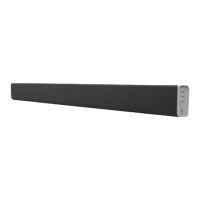
OK. OCS 100BT-B Specifications

General IconGeneral
EqualizerYes
Audio decoders-
RMS rated power60 W
Audio output channels2.1 channels
Subwoofer includedNo
Number of products included1 pc(s)
Product colorBlack
Apple docking compatibilityNot supported
AC input voltage230 V
AC input frequency50 Hz
Connectivity technologyWired & Wireless
Digital audio coaxial in0
Weight and Dimensions IconWeight and Dimensions
Depth85 mm
Width950 mm
Height50 mm
Soundbar weight2500 g