33
EN
2. New MMS
Follow the on screen instruction to write a new MMS. You can attach a
picture, audio or video le to the MMS.
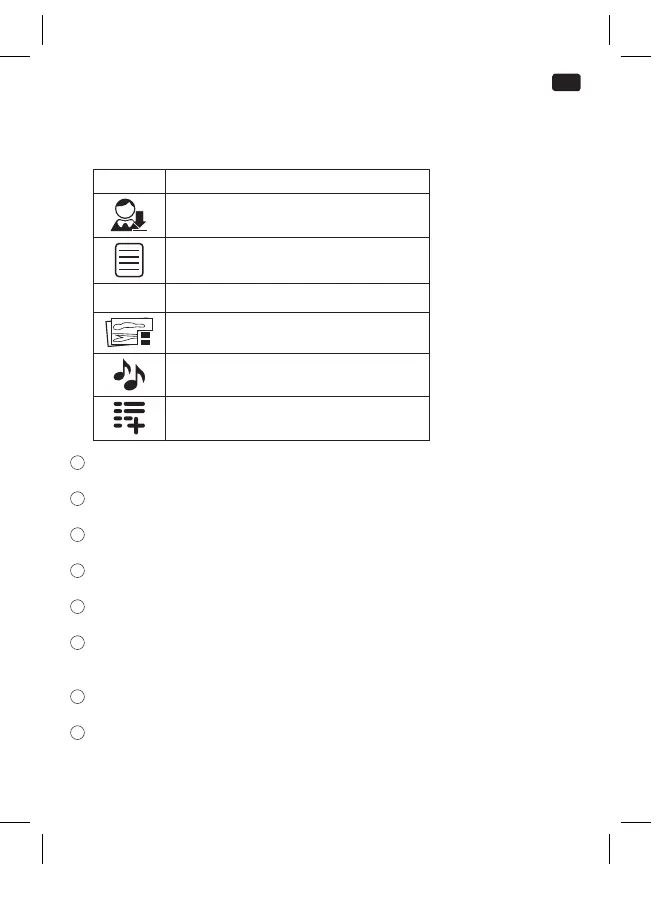
Symbol Function
Enter receiver or select from contacts.
Insert subject line
TEXT Insert text message
Attach pictures
Attach audio les
Add pages
2
Inbox:
View message that has been received.
3
Outbox:
View the SMS which are not sent yet.
4
Drafts:
View the SMS saved in the draft box.
5
Sentbox:
View the sent SMS.
6
Templates:
View the SMS templates.
7
Voice mail server:
Manage voice mail messages (please contact your provider to check this
service settings)
8
Message settings:
Set SMS style
9
Message capacity:
View SMS storage status for SIM and Phone.
IM_OMP90_180502_V06_A_HR.indb 33 2/5/18 9:22 am


 To Next Page