- 39 -
2. Setting Up
3
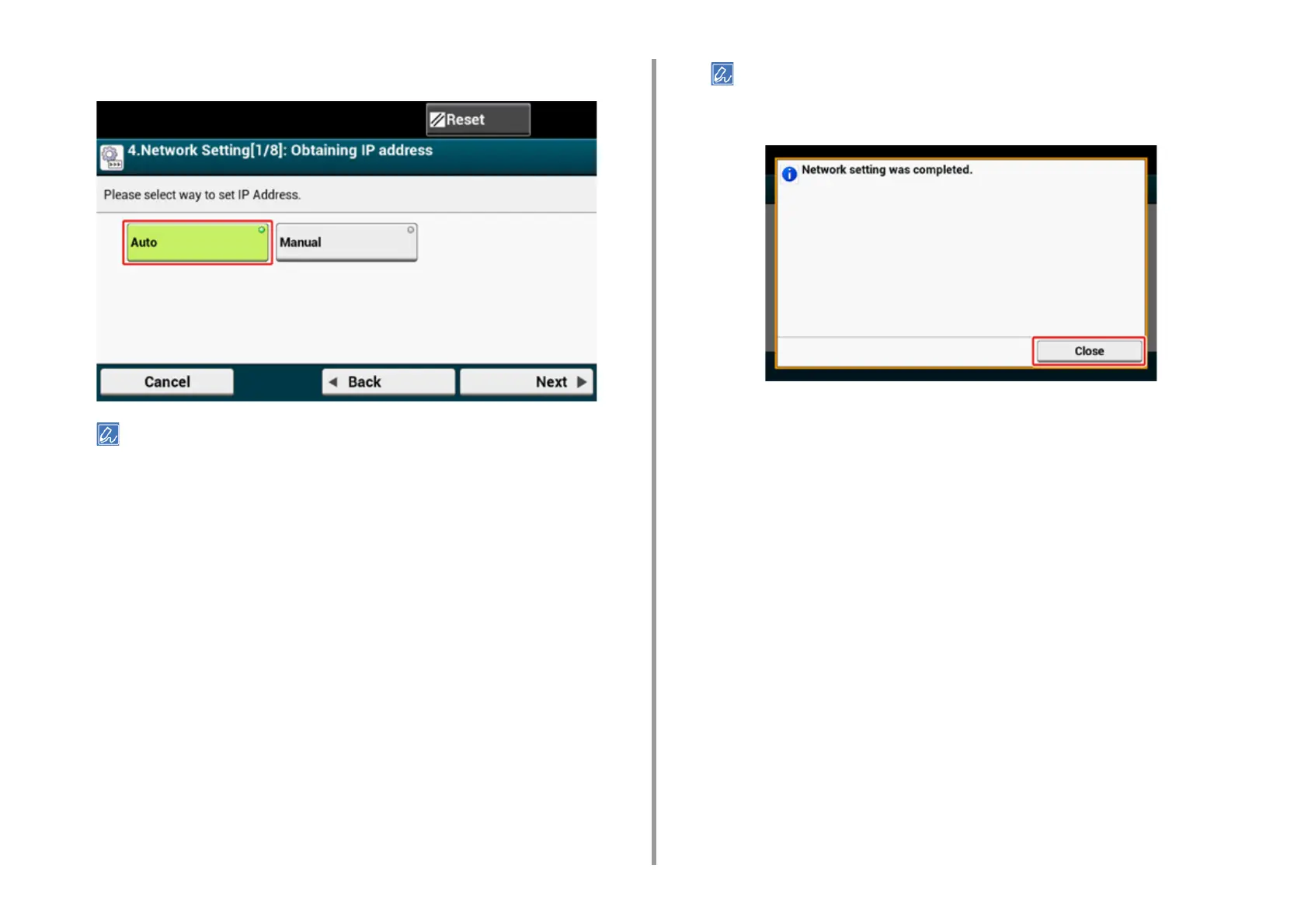
Set an IP address. Press [Auto].
When setting manually, check the following values specified by your provider or network administrator.
• IP Address
• Subnet Mask
• Default Gateway
• DNS Server (Primary)
• DNS Server (Secondary)
• WINS Server (Primary)
• WINS Server (Secondary)
4
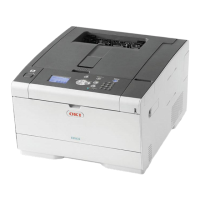
Press [Close] on the following screen which is displayed after the setting is
updated.
• Wait until updating the setting is complete.
• The screen switches automatically in about 7 seconds without pressing [Close].


 To Next Page