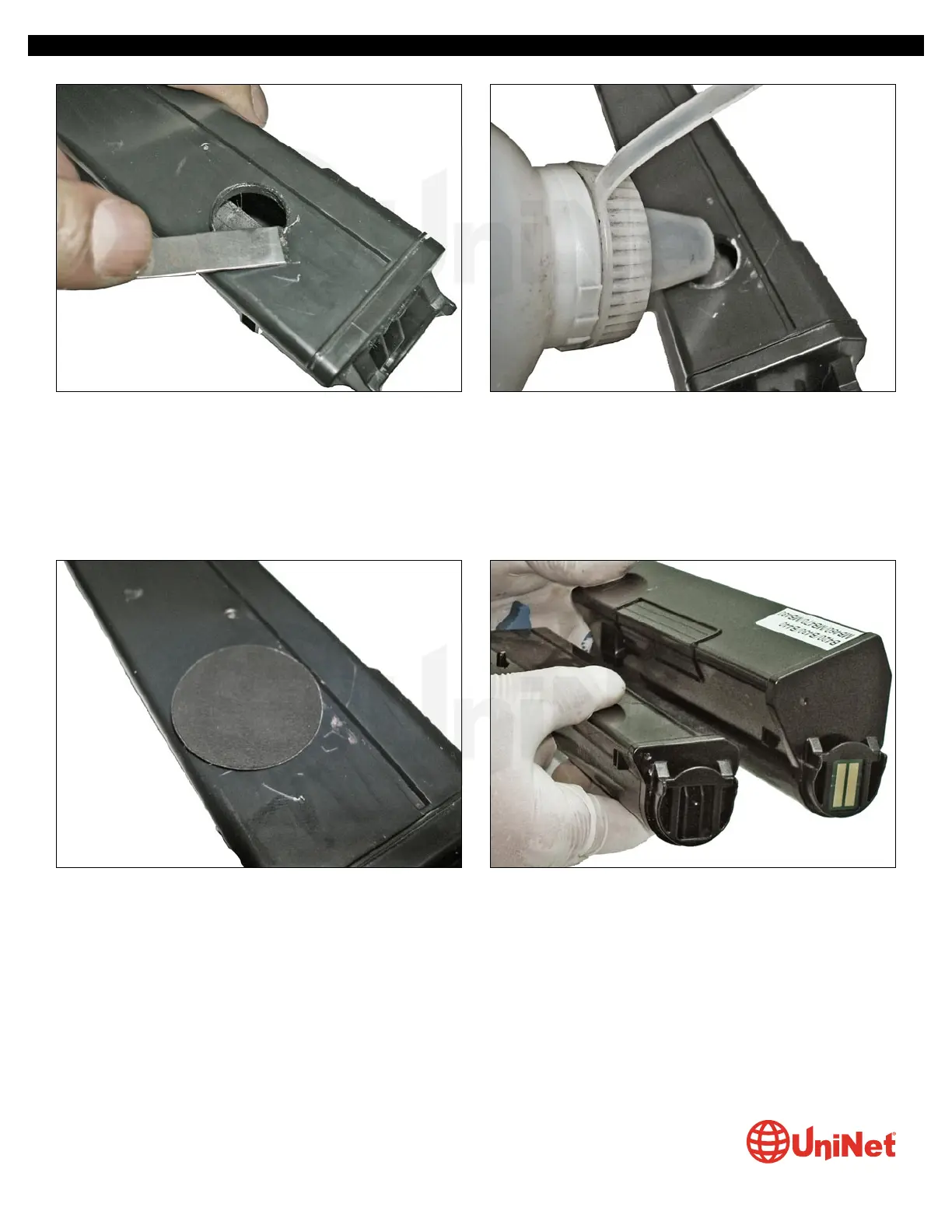
4. Cut away the remaining rim of plastic that protrudes from
the top, to avoid any pieces from falling into the hopper.
5. Fill the hopper with appropriate toner gram load.
OKIDATA B410 • 420 • 430 IMAGE UNIT & TONER CARTRIDGE REMANUFACTURING INSTRUCTIONS
© 2013 UniNet Imaging Inc. All trademark names and artwork are property of their respective owners. Product brand names mentioned are intended to show compatibility only.
UniNet Imaging does not warrant downloaded information. Unauthorized sale, reproduction or distribution of this article is prohibited. For additional support, please contact techsupport@uninetimaging.com
www.uninetimaging.com
6. Clean up any trace of toner around the hole and attached
the self-adhesive seal shown.
INSTALLING THE CHIPS
The 3,500-page starter cartridge that comes with the printer
has no chip, while the Okidata replacement 7,000-page toner
cartridge does. The installation of these respective chips
requires simply a insertion into their corresponding slot
(see photo).
7. Toner cartridges (3,500 and 7,000-page) respectively.


 To Next Page
 Loading...