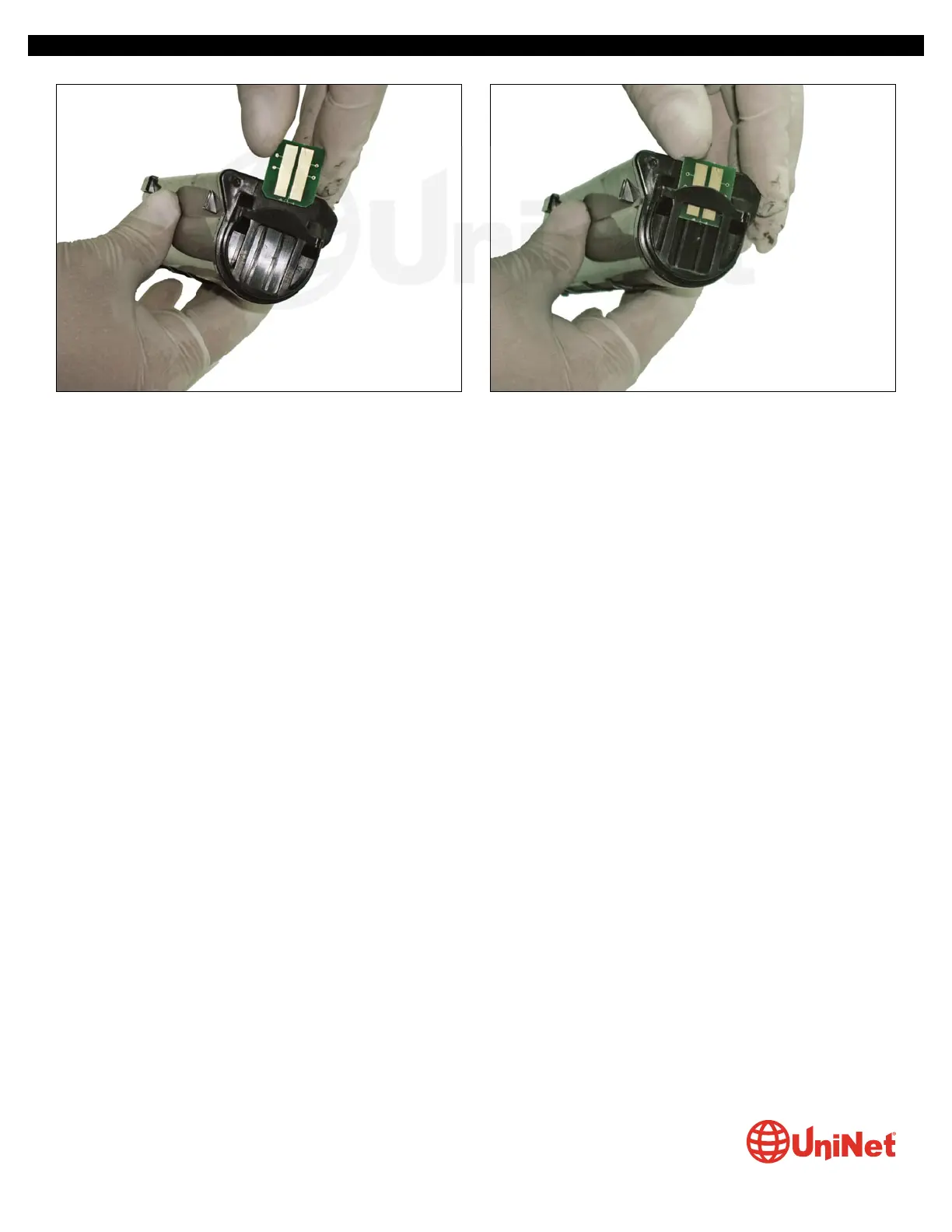
8. Insert the chip with the rounded corners entering the
slot first.
9. Slide the chip in until it stops inside the slot.
OKIDATA B410 • 420 • 430 IMAGE UNIT & TONER CARTRIDGE REMANUFACTURING INSTRUCTIONS
© 2013 UniNet Imaging Inc. All trademark names and artwork are property of their respective owners. Product brand names mentioned are intended to show compatibility only.
UniNet Imaging does not warrant downloaded information. Unauthorized sale, reproduction or distribution of this article is prohibited. For additional support, please contact techsupport@uninetimaging.com
www.uninetimaging.com


 To Previous Page
 Loading...