8
OKIOCAM T Plus Quick Start Guide
Please download OKIOCAM Snapshot and Recorder from
www.okiolabs.com/download
.
You can use Snapshot and Recorder to take snapshots and videos with your OKIOCAM.
D
Installing OKIOCAM Snapshot and Recorder
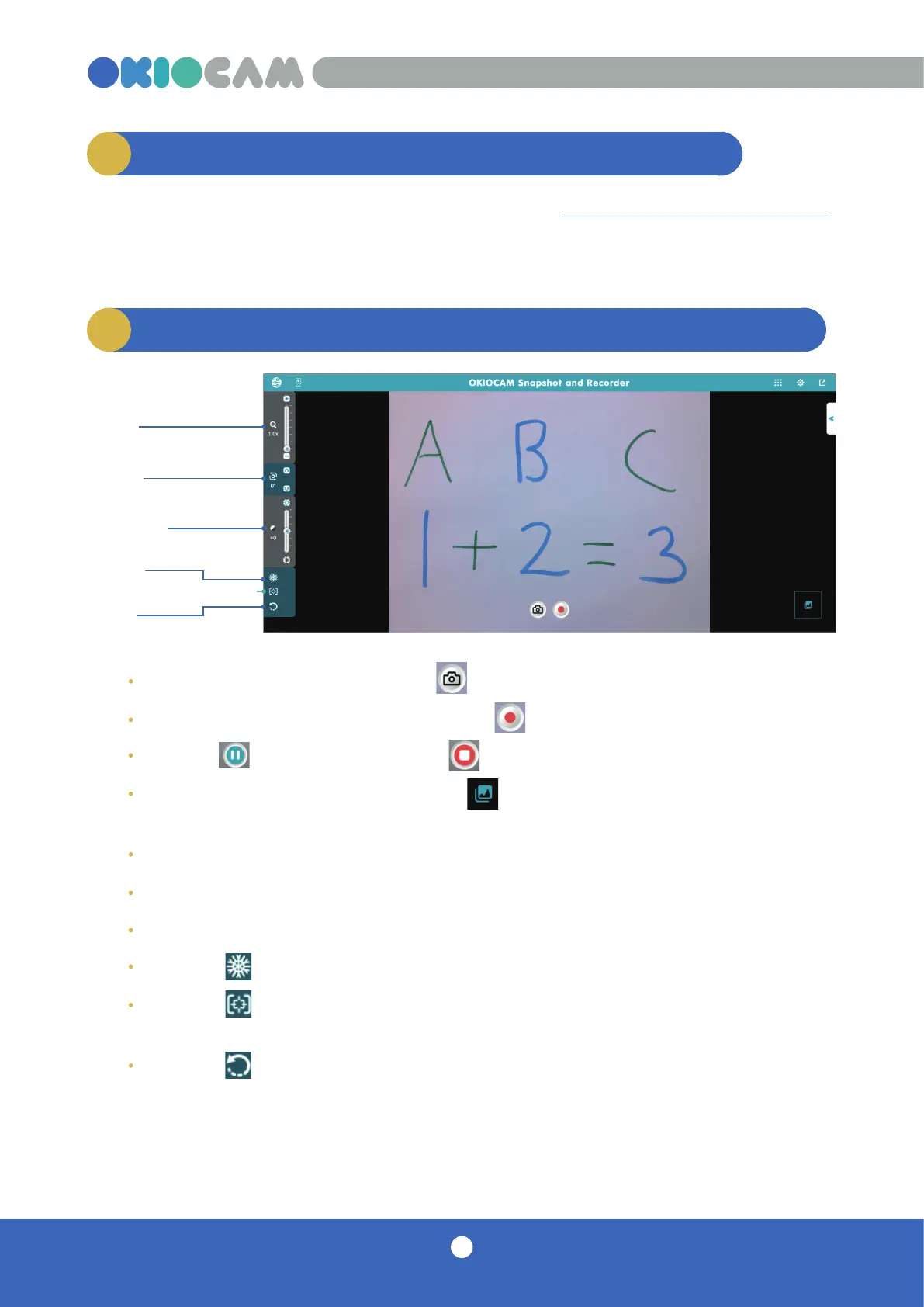
Zoom
Rotate
Exposure
Freeze
E
Using Snapshot and Recorder with your OKIOCAM
Take a snapshot by clicking on the icon.
Start a video recording by clicking on the icon.
Click the icon to pause and the icon to end the video recording.
Enter Review Mode by clicking the icon. From here you can view your
previously taken snapshots and videos.
Use the Zoom slider to control the level of zoom between 1x and 6x.
Click the Rotate arrows to rotate the camera clockwise and counterclockwise.
Use the Exposure slider to adjust the level of exposure (brightness).
Press the icon to freeze the camera feed.
Press the icon to adjust the camera’s focus, exposure, and white balance
automatically.
Press the icon to reset the camera.
Focus / Auto Adjust
Reset



 To Next Page