d
O K p h o n e , L L C M O D E L 5 24 SAB O P E R A T I O N S M A N U A L
@ REMOTE 4W TERMINAL
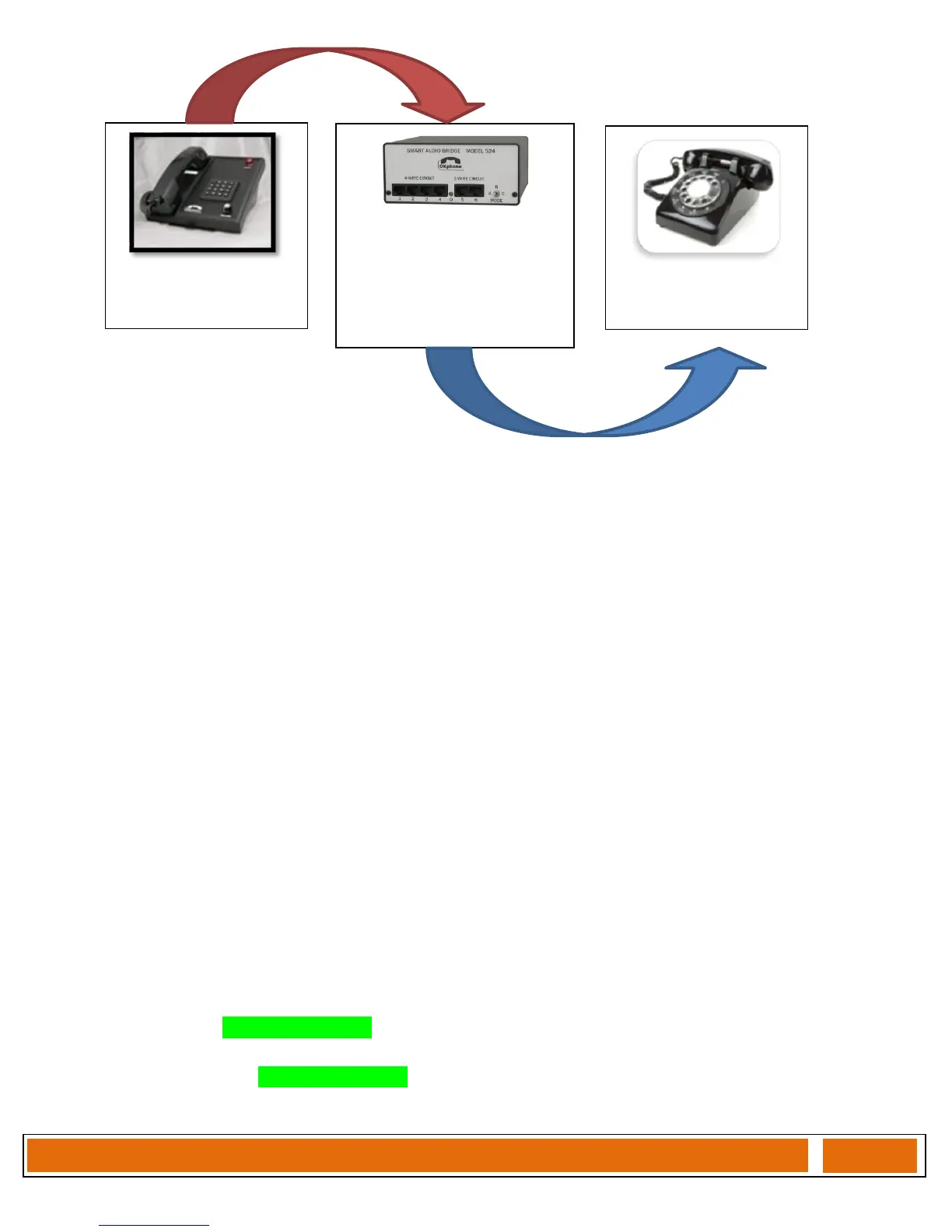
1. With 524 BRIDGE in an “unmanned” location, the REMOTE 4W Terminal can signal the 524
by issuing a SS4 STATION ID (36) command.
2. The 524 BRIDGE acknowledges the STATION ID by sending back to the 4W circuit two 2
600Hz confirmation tones.
3. The 524 automatically draws line current on the 2W line and dials the stored number (ref.
program step (D# 15n #)).
4. The 524 begins a 30 second timer that will ABORT the 2W connection attempt and return
four confirmation tones if the 2W called party:
A. fails to pickup the 2W REMOTE phone.
B. picks up the 2W REMOTE phone, but fails to enter the required PASSKEY to
shutdown the ABORT timer and enable the 2w<>4w audio paths. This
PASSKEY is determined by two programming steps, [D0x where x = number of
digits in the STATION ID command string (either 2,3,4), and DB1xxxx where
xxxx is an unused ID on the 4W circuit. For our example 4W circuit, the number
of digits in the STATION ID = 2, and the PASSKEY is set to (79).
5. Once the Passkey is entered, the 524 will issue a single (HI / LO) confirmation tone and
ENABLE the [2W-4W BRIDGE], illuminating the LED to a GREEN color.
6. To terminate the [2W-4W BRIDGE], please reference Page 1, Section 5.
2W REMOTE PHONE
1-207-555-1212
524 – Bridge
STATION ID = 36
PASSKEY = 79
DISABLE BRIDGE=58
2W EXT 1-207-333-4545
4W – Terminal
STATION ID = 45
524 DIALS
2W-PHONE
EXTENSION
4W signals
524 via STATION ID


 To Next Page
 Loading...