English
5
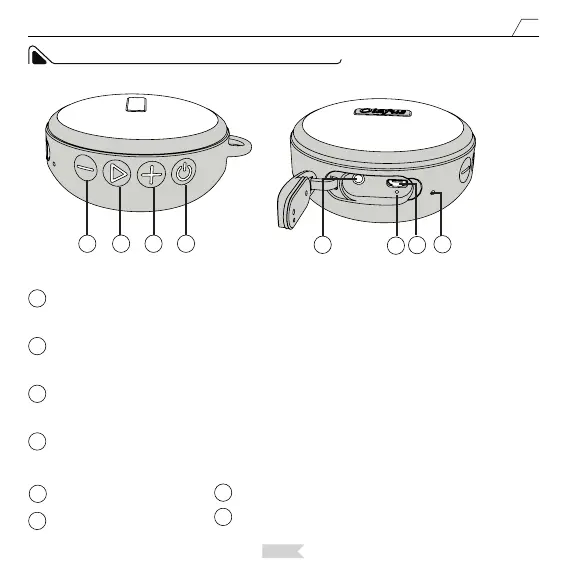
SPEAKER CONTROL PANEL AND PORTS
1
1
2
2
3
3
4
4
5
6
6
5
7
7
8
8
Volume UP/Next:
Long press the button to increase the volume. Short press the button to move to the next song(only
function in Bluetooth Mode).
Power ON/OFF/Mode:
Long press the button to turn on/o the speaker. When the speaker is on, short press the button to swift
mode of the speaker.
Play/Pause/Pairing:
In Bluetooth Mode, short press the button to play or pause music. In Bluetooth Mode, long press the button
to cut the current Bluetooth connection and enter Pairing status.
Volume Down/Prev:
Long press the button to lower the volume. Short press the button to move to the previous song(only
function in Bluetooth Mode)
AUX Input Port
Indicator Light
Microphone
Power Port: DC 5V 1A


 To Next Page