English
8
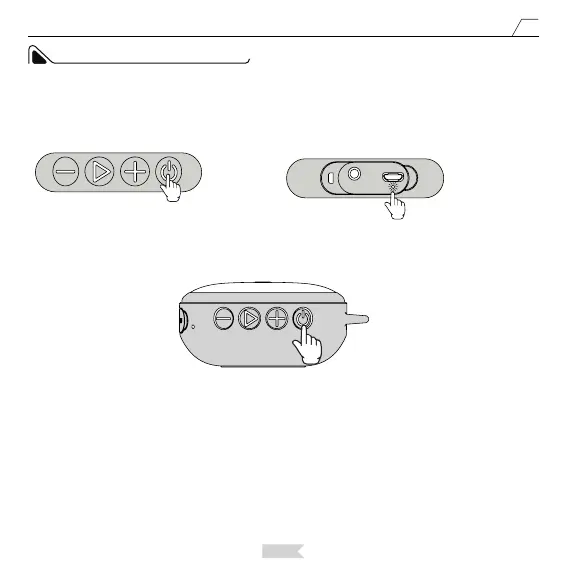
Long press the power button, the speaker will be turned on after hearing the prompt tone. The power indicator
light will turn blue and on for 3 seconds. Afterwards, the blue light fashes quickly, indicating the speaker is
entering Pairing mode.
Blue Light Flashes
Quickly.
OPERATION INSTRUCTION
The speaker will enter Bluetooth mode by default. For bluetooth connection, please do not connect with the
audio cable. If you connect the speaker with the supplied 3.5 mm audio cable, the speaker will automatically
enter audio mode. When the speaker is under audio mode, you can short press the Power Button to enter
Bluetooth mode.
Notice:


 To Next Page