INSPECT ALL COMPONENTS BEFORE USE.
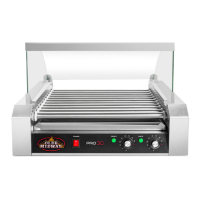
DO NOT ATTEMPT TO USE THE HOTDOG ROLLER
MACHINE IF ANY PARTS ARE DAMAGED OR MISSING.
ASSEMBLY INSTRUCTIONS
** ATTACHING GLASS COVER **
Skip to Operating Instructions if Hot Dog Roller DOES NOT have a glass cover.
STEP 1:
Locate and remove the pair of screws on the inner left and right sides of the roller base
and set aside.
STEP 2:
Position the back glass mount onto the roller base. Reinsert the screws removed in STEP
1 and hand-tighten, as it may need to be adjusted. Repeat for the remaining 3 mounts.
STEP 3:
Insert one of the small side glass panels into both the front and back mounts on one side
of the machine with the curved side of the glass facing the back (away from the
controls). If needed, adjust mounts by sliding forward or backward until the glass is
snug; tighten to secure. Repeat for the other side.
STEP 4:
Place the large curved glass shield into the back mounts pushing gently all the way down
into the channel. Check to make sure the edges of the top and side glass pieces are flush.
STEP 5:
Place the stainless steel trim plate over the edge of the top glass, aligning the holes with
the glass.
STEP 6:
Insert a bolt through the trim plate and glass, then secure with nut. DO NOT
OVERTIGHTEN, as this may crack the glass.


 To Next Page