Instrument Panel . . . . . . . . . . . . . . . . . . . . . . . . .2
Instrument Panel Cluster . . . . . . . . . . . . . . . . . .3
Delayed Locking . . . . . . . . . . . . . . . . . . . . . . . . .4
Remote Keyless Entry . . . . . . . . . . . . . . . . . . . .4
Remote Trunk Release Lockout . . . . . . . . . . . . .5
Programmable Automatic Power Door Locks . .6
Lockout Protection . . . . . . . . . . . . . . . . . . . . . . .7
12-Volt Accessory Power Outlets . . . . . . . . . . . .7
Automatic Light Control/
Daytime Running Lamps (DRL) . . . . . . . . . . . . .8
Removing Key from Parked Vehicle . . . . . . . . . .9
Fueling Your Vehicle . . . . . . . . . . . . . . . . . . . . .9
Audio Systems . . . . . . . . . . . . . . . . . . . . . . . . . .9
Setting the Clock . . . . . . . . . . . . . . . . . . . . . . .10
Oil Life Monitor . . . . . . . . . . . . . . . . . . . . . . . . .10
Tire Pressure Monitor . . . . . . . . . . . . . . . . . . . .10
Installing a Child Seat . . . . . . . . . . . . . . . . . . . .11
Rear Door Security Locks . . . . . . . . . . . . . . . . .11
Roadside Assistance Program . . . . . . . . . . . . .12
My GMLink . . . . . . . . . . . . . . . . . . . . . . . . . . . .12
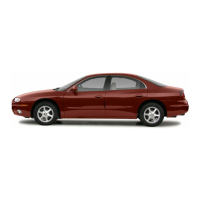
Congratulations on your purchase of an Oldsmobile Alero. Please read this information and your
Owner Manual to ensure an outstanding ownership experience. Note that your vehicle may not
include all the features described in this booklet. Place this booklet in your Owner Manual
portfolio for easy reference.

 Need help?
 General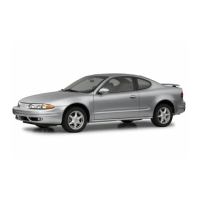



 To Next Page