Using the Alarm clock, snooze and night light
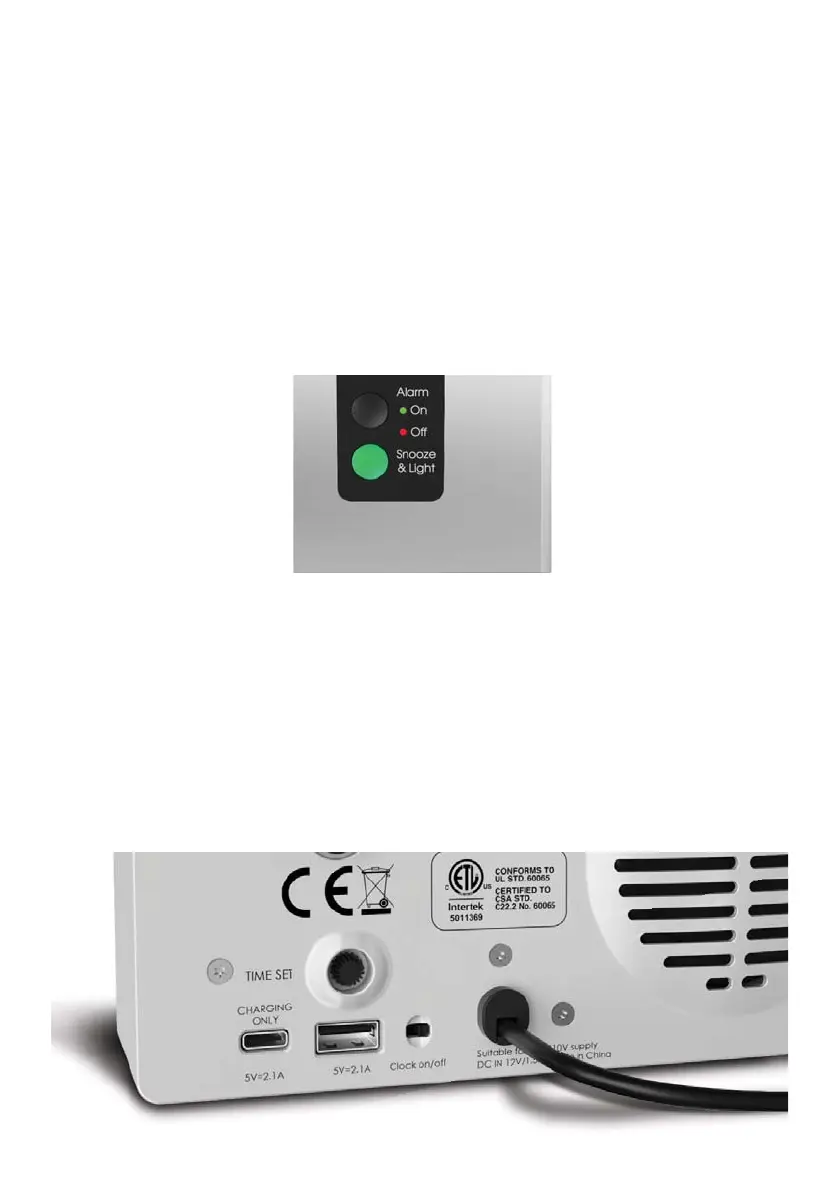
1. Set the alarm time by turning the alarm set button on the back of the Robin unit,
like a normal alarm clock.
2. To switch on the alarm, make sure the alarm on/off button on the top of the
Robin unit is showing a green LED light.
3. To switch off the alarm press the alarm button so that the Red LED indicates off.
4. To use the night light, press the snooze / light button and the light will come on.
5. To activate the SNOOZE, press the SNOOZE button when the alarm is ringing and
the alarm will stop and restart again after 5 minutes.
USB Charging
1. On the back of the Robin there are 2 USB ports for charging your devices. One
is USB A and the other is USB C. They can charge a normal smart phone, Ipad or
similar tablet. They are there for your convenience so you can sleep and wake to
a fully charged device.
2. You can also charge your device at the same time as you are using it to play
audio. This means that you can play music without running your battery fl at.
NOTE: the snooze and night light share the same button, but they do not affect
each other’s function.


 To Next Page