6 ENGLISH
(20) ON / Clear Entry / Clear
ON: Turn on.
CE: Clears the last number (displayed number) entered before any
function key is pressed.
C: Clears all, except memory contents.
(21) Multiplication
To multiply, enter the first number (multiplicand) and press the [×] key. Then
enter the second number (multiplier) and press [=] or other keys, as necessary,
to obtain the result. If the [=] key is pressed repeatedly, it will perform sequential
multiple calculations.
(22) Division
To divide, enter the number to be divided (dividend) then press the [÷] key.
Then enter the second number (divisor) and press [=] or other keys, as
necessary, to obtain the result. If the [=] key is pressed repeatedly, it will perform
sequential division calculations.
(23) Equal
Completes Multiplication, Division or Mark up calculation.
Technical Specifications
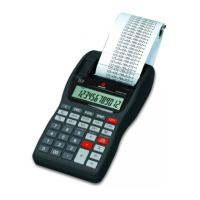
Type : Electronic Printing / Display Calculator
Keyboard : 10-key system
Capability : 12 digits
Display : 12 digits Liquid Crystal Display
Printer : M31AII
Printout color : Black (Ink cartridge IR30 or IR40)
Printing speed : 1.4 lines/second
Paper roll : Width 57.5 mm (2-11/16”) × 25 D,
Thickness 0.06 to 0.085mm (60 g)
Operating temperature : 0 °C to 40 °C (32 °F to 104 °F)
Power source : UM-3/AA×4 or ADAPTOR 6V 300 mA
Power consumption : 6.0 W – 0.04 A
Dimensions : 97.7 (W) × 191 (D) × 42 (H) mm
Weight : 250 g


 To Next Page