User Guide for Ollee Mini PC MAPMG
3
Open the Ollee Mini PC Chassis
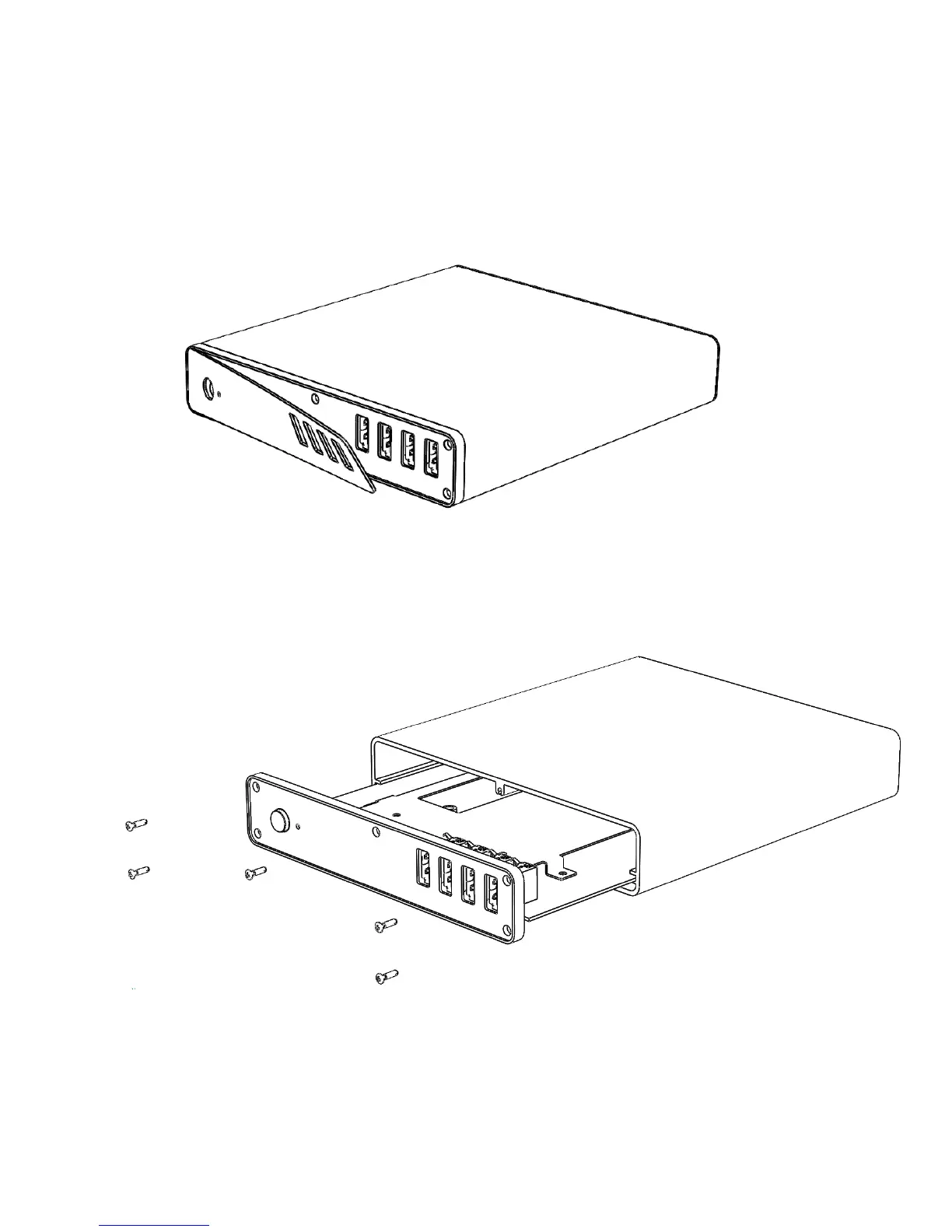
To open the Ollee Mini PC chassis, follow these steps:
1. With a plastic removal tool (or similar tool) remove the front plastic cover.
2. With a screwdriver unscrew the five front panel screws. Then slide the front cover and PCB from the
aluminium chassis.



 To Next Page