User Guide for Ollee Mini PC MAPMG
4
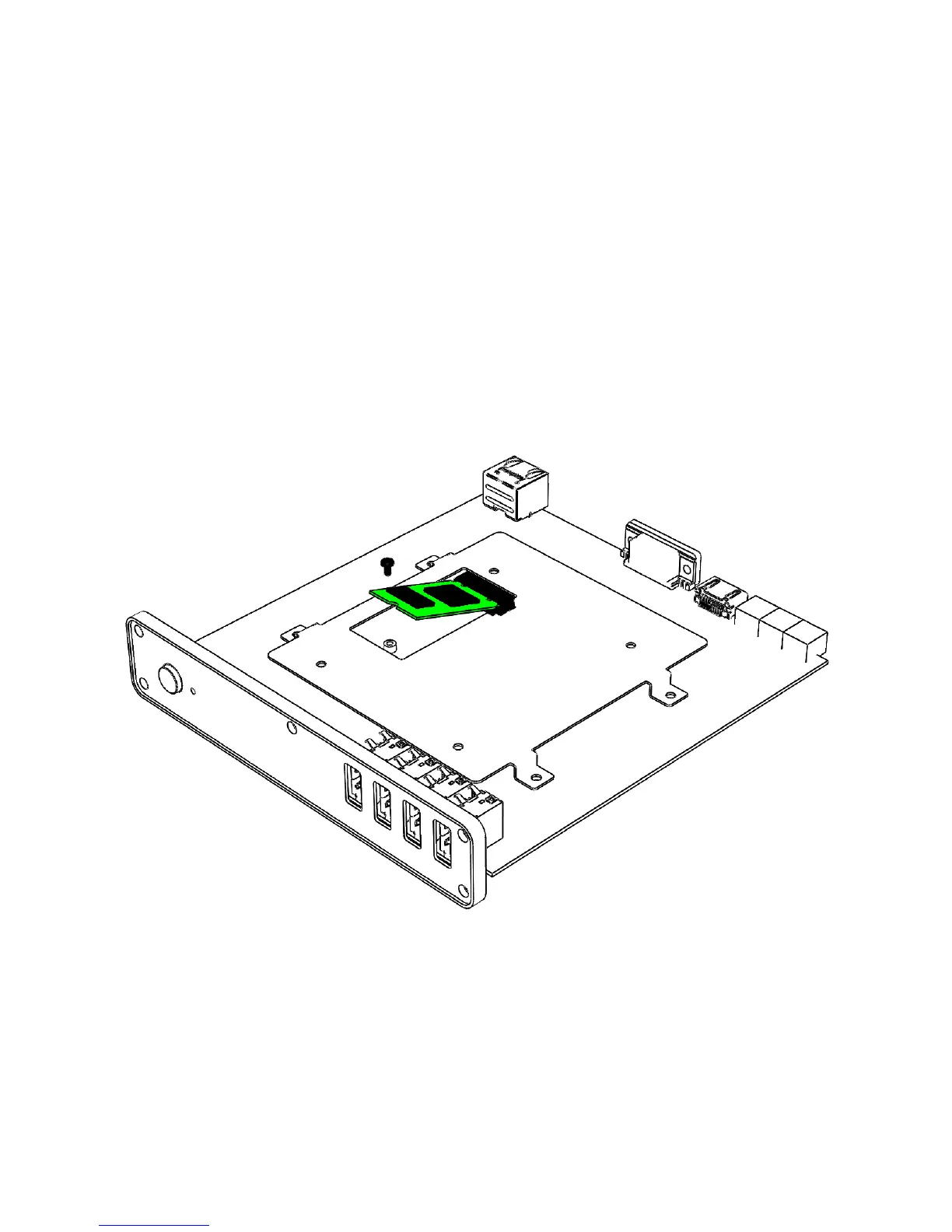
Changing an M.2 SSD
The Ollee Mini PC MAPMG supports a 42mm M.2 SSD (M.2-2242).
To Change an M.2 SSD:
1. Remove the small screw from the 42mm metal standoff on the board.
2. Align the space at the bottom of the new M.2 SSD to the key on the connector.
3. Insert the bottom edge of the M.2 SSD into the connector.
4. Secure the card to the standoff with the small screw.



 To Next Page