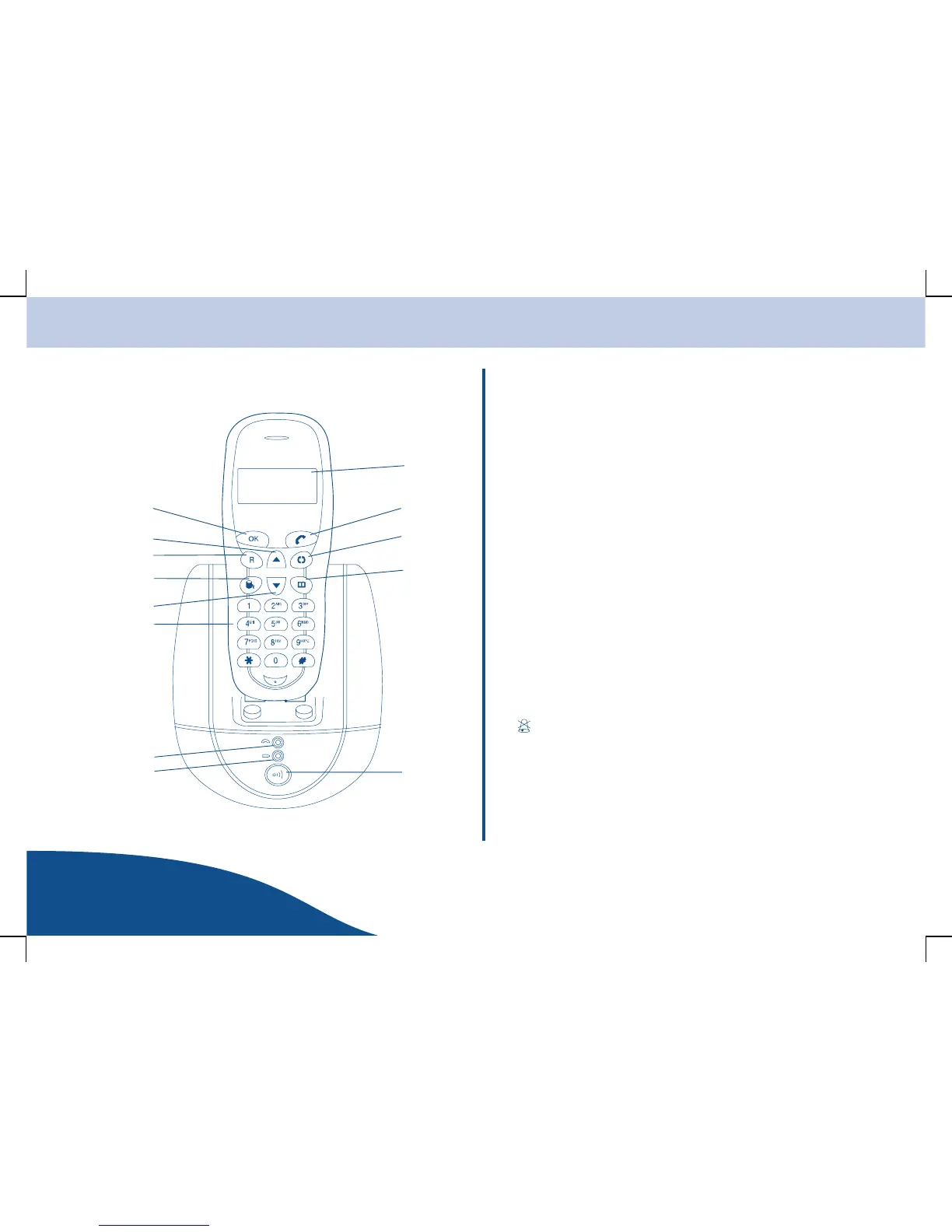
Operating Elements and Indicators
www.olympia-vertrieb.com
OPERATING
INSTRUCTIONS
5
Operating Elements and Indicators
1
2
3
4
56
7
8
9
10
11
12
13
1 Display
2 Take a call/On-hook key
3 Internal calls
4 Menu key
5 Paging key (call handset)
6 LED lights up when the device is
connected to the power supply
7 LED lights up during an external call
8 Digit keys with letter imprint
9 Menu navigation
10 Delete characters
11 R-key
12 Menu navigation
13 Confirmation key
Indicates the battery charge status.
Indicates a call is currently being made.
Continuously displayed when the handset has contact with the
base station (in range).
Flashes when there is no contact (out of range).
Indicates the ringing tone is switched off.
tT Indicates there are new entries in the Missed Calls calls list.
Hh Indicates the Menu is open.



 To Next Page