EasyManua.ls Logo

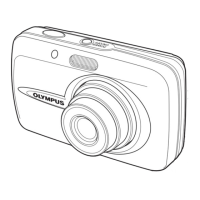
Olympus STYLUS 600 - User Manual

Olympus STYLUS 600
1 page
Print Icon
Loading...
Quick Start Guide
TRANSFER IMAGES
a. Install the software
1 Insert the OLYMPUS Master CD-ROM.
2 Windows:
Click the “OLYMPUS
Master“ button.
Macintosh:
Double-click the “Installer“
icon.
3 Simply follow the on-screen
instructions.
Remember to register your camera when you install OLYMPUS
Master or visit:
www.olympusamerica.com/prodreg
b. Connect the camera to the computer
1 Connect the camera and computer using the USB cable (included).
The monitor will turn on automatically.
2 Select [PC] on the monitor, and press Z.
Your PC will now recognize your camera as a
removable storage drive.
USB cable
2
1
P C
USB
OK
CUSTOM PRINT
EXIT
EASY PRINT
SELECT
GO
c. Transfer images to the computer
1 With the camera now connected,
open OLYMPUS Master.
The [Transfer Images] window is
displayed.
2 Select the images you want to
transfer, and click the [Transfer
Images] button.
[Transfer Images] window
[Transfer Images]
button
b. Click the “From Camera” icon.
a. Click the “Transfer Images” icon
on the OLYMPUS Master main
menu.
If the [Transfer Images] window is not
displayed automatically:
REVIEW OR ERASE A PICTURE
a. Press the q button b. Take a closer look
Zoom Button
The last picture taken will be
displayed.
Press T or W to
zoom in or out.
Press Z to return
to the original size.
Prev.
Picture
Next
Picture
Arrow Pad
q Button
Press the m button to
return to shooting mode.
Press O/N or X/Y
to scroll around.
c. To erase a picture
OK
ERASE
YES
NO
SELECT
GO
S Button
1 Display the picture you want to erase.
2 Press the S button.
3 Select [YES], and press Z.
The picture is permanently erased.
TAKE A PICTURE
44
HQ
HQ
2816
2816
×
2112
2112
44
2816
2816
×
2112
2112
HQ
HQ
a. Zoom
Zoom Out: Zoom In:
c. Take the picture
1 Press the shutter button
completely to take the
picture.
(Pressed Completely)
Shutter Button
b. Focus
1 Using the monitor, place the AF target mark
over your subject.
2 Press and hold the shutter button halfway
to lock the focus.
The green lamp indicates the focus is locked.
44
HQ
HQ
2816
2816
×
2112
2112
Green Lamp
(Pressed Halfway)
Shutter Button
AF Target Mark
GET STARTED
a. Attach the strap
Pull the strap tight so that it does
not come loose.
1
Strap
b. Insert the battery
Battery lock knob
1 Slide
2 Lift
3 Insert
c. Set the date and time
1 Press o n button to turn the camera on.
2 Press Z to display the top menu, and select [MODE
MENU] > [SETUP] > [X].
3 Press O/N to set an item. Press X/Y to select the
next field.
o n Button
2005
.
01
.
01
00
:
00
Y M D
SELECT
OK
GOSET
CAM
PIXEL MAPPING
FILE NAME
MEM
SETUP
DUAL TIME
SETUP
’05.01.01
00:00
OFF
RESET
Operation guide
Date format
Z Button
BEFORE YOU BEGIN
Digital Camera Strap LI-12B Lithium Ion
Battery
LI-10C Battery Charger
USB Cable (light gray) Video Cable (black)
Gather these items (box contents)
OLYMPUS Master
software CD-ROM
Items not shown: Advanced Manual (CD-ROM), Basic Manual, warranty card.
Contents may vary depending on purchase location.
Charge the battery (recommended*)
*Battery comes partially charged.
Power Cable
AC Wall
Outlet
LI-12B Lithium Ion Battery
1
2
3
Charging Indicator
Lit red: Charging
Lit green: Charging complete
(Charging time: Approx. 120 minutes)
LI-10C Battery
Charger
W
Start Here
CAMERA DIAGRAM
Self-Timer Lamp
Shutter Button o n Button
Flash
Lens
Zoom Button
m
Button
(Shooting Mode)
q Button
(Playback Mode)
Arrow Pad (O/N/X/Y)
Z Button (OK/MENU)
Strap Eyelet
Battery Compartment/Card
Cover
Tripod Socket
Connector Cover
Multi-Connector
DC-IN Jack
DISP./GUIDE Button
S Button (Erase)
< Button (Print)
Monitor
For more information, please refer to the Basic & Advanced
Manuals or visit: www.olympusamerica.com/support
VH176701
Printed in China © 2005
d4262qsg_e_7.fm Page 1 Thursday, August 4, 2005 11:17 AM

Other manuals for Olympus STYLUS 600

Questions and Answers

  • C
    Cindy AdamsAug 15, 2025
    How to fix 'Battery Empty' message on my Olympus Digital Camera?
    • A
      Aaron LewisAug 15, 2025
      If your Olympus Digital Camera displays 'Battery Empty', it means the battery is empty and needs to be charged. Please charge the battery.
  • W
    William DavisAug 18, 2025
    Why does my Olympus STYLUS 600 say 'No Picture'?
    • M
      Michael RichardsonAug 18, 2025
      If your Olympus Digital Camera displays 'No Picture', it means there are no pictures in the internal memory or on the card. You need to record pictures.
  • C
    Christopher SmithAug 22, 2025
    What does 'Card Setup Power Off Format Select Go OK' mean on Olympus STYLUS 600?
    • Z
      zsellersAug 22, 2025
      The message 'Card Setup Power Off Format Select Go OK' on your Olympus Digital Camera indicates that the card cannot be used or is not formatted. You can format the card or replace it. To do this, select [POWER OFF] and press Z, then insert a new card. Alternatively, select [FORMAT] and press Z to erase all data on the card.
  • M
    Melvin SmithAug 25, 2025
    What does 'Memory Setup Power Off Memory Format Select Go OK' mean on Olympus STYLUS 600?
    • D
      Dr. Roger LeeAug 26, 2025
      The message 'Memory Setup Power Off Memory Format Select Go OK' on your Olympus Digital Camera indicates that there is an error in the internal memory. You should select [MEMORY FORMAT] and press Z to erase all data in the internal memory.
  • D
    Daniel AndersonAug 28, 2025
    What to do if my Olympus STYLUS 600 says 'Card Full'?
    • R
      Ryan HancockAug 28, 2025
      If your Olympus Digital Camera displays 'Card Full', it means the card has no available memory to store new data. You should replace the card or erase unwanted data. Before erasing, it's recommended to download important pictures to a computer.
  • P
    parker30Aug 31, 2025
    How to resolve 'Card Error' on Olympus STYLUS 600 Digital Camera?
    • S
      Susan MorrisonAug 31, 2025
      If your Olympus Digital Camera displays 'Card Error', it means there is a problem with the card. The suggested solution is that this card cannot be used, and you should insert a new card.
  • S
    staceyburtonSep 4, 2025
    What to do if Olympus STYLUS 600 Digital Camera shows '> Memory Full'?
    • J
      John MuellerSep 4, 2025
      If your Olympus Digital Camera displays '> Memory Full', it means the internal memory has no available space. Insert a card to back up all data, or erase unwanted data. Before erasing, download important pictures to a computer.
  • M
    margaretgreenSep 7, 2025
    What to do if Olympus STYLUS 600 shows 'Picture Error'?
    • R
      Randall KelleySep 7, 2025
      If your Olympus Digital Camera displays 'Picture Error', it means there is a problem with the selected picture, and it cannot be played back on the camera. Use image processing software to view the picture on a computer. If that cannot be done, the image file is damaged.
  • A
    Alyssa MorganSep 12, 2025
    What to do if Olympus STYLUS 600 Digital Camera displays 'Card-Cover Open'?
    • C
      Christine HickmanSep 12, 2025
      If your Olympus Digital Camera displays 'Card-Cover Open', it means the battery compartment/card cover is open. Close the battery compartment/card cover.

Olympus STYLUS 600 Specifications

General IconGeneral
Image Sensor1/2.5-inch CCD
Effective Pixels6.0 million
Optical Zoom3x
Digital Zoom4x
LCD Screen Size2.5 inches
Battery TypeLi-ion
Storage MediaxD-Picture Card
BatteryLI-42B Lithium-Ion rechargeable battery
Camera TypeCompact
ISO SensitivityAuto, 100, 200, 400
Video Recording640x480 @ 30fps
Supported Flash MemoryxD-Picture Card
Shutter Speed1/2 - 1/1000 sec
Focal Length6.3-18.9mm (35-105mm equivalent)

Related product manuals