7
EN
3
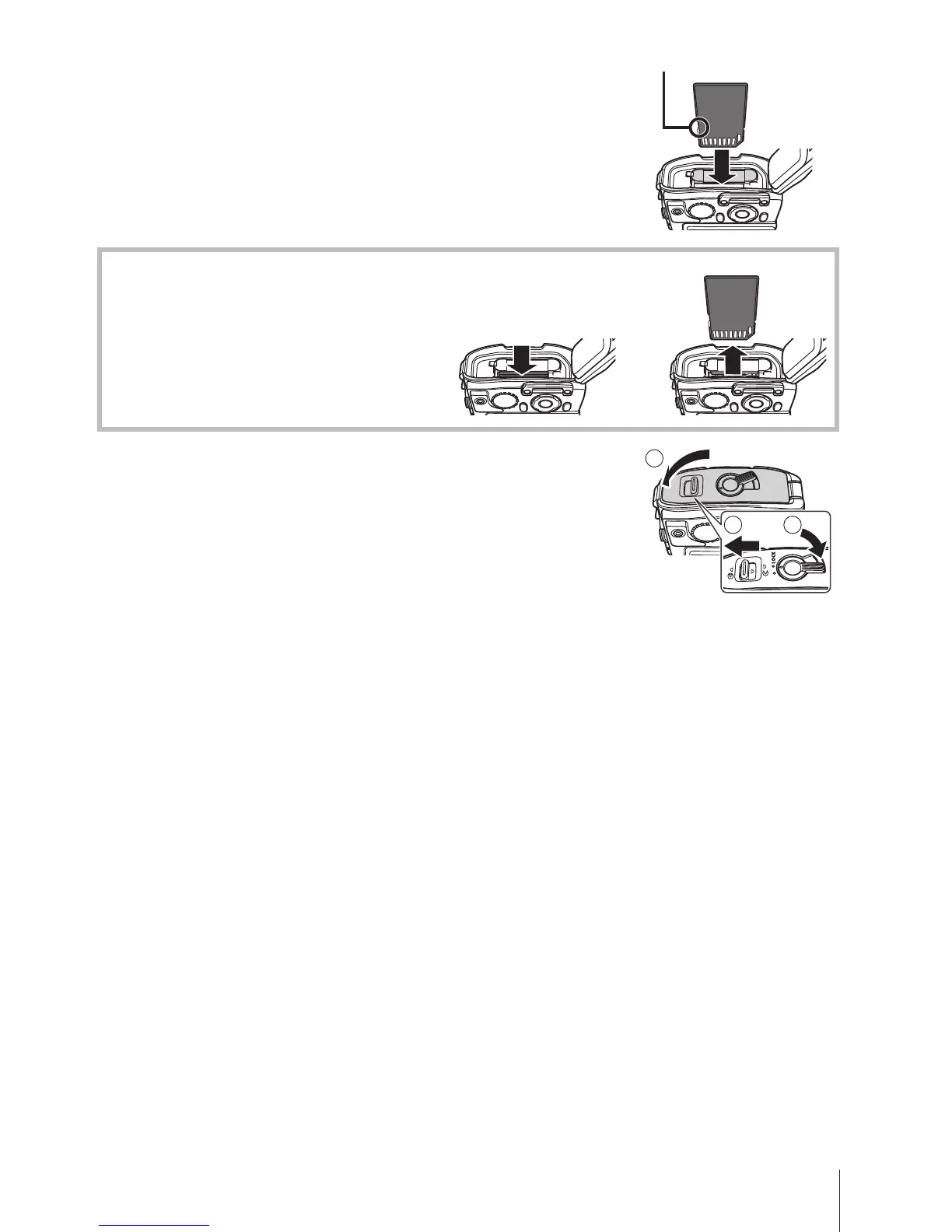
Insert the card straight until it clicks
into place.
• Always use the specified cards with this
camera. g “Using the card” (P. 88)
• Do not touch the metallic parts of the card
directly.
Write-protect switch
To remove the card
Press the card in until it clicks
and comes out slightly, then
remove the card.
12
4
Follow Steps 1, 2 and 3 to close
battery/card compartment/connector
cover.
• Except when using the connector, be sure to close
the battery/card compartment/connector cover.
2 3
1


 To Next Page