EasyManua.ls Logo

Olympus VISERA ELITE CLV-S190 - User Manual

Olympus VISERA ELITE CLV-S190
112 pages
Print Icon
To Next Page IconTo Next Page
Loading...
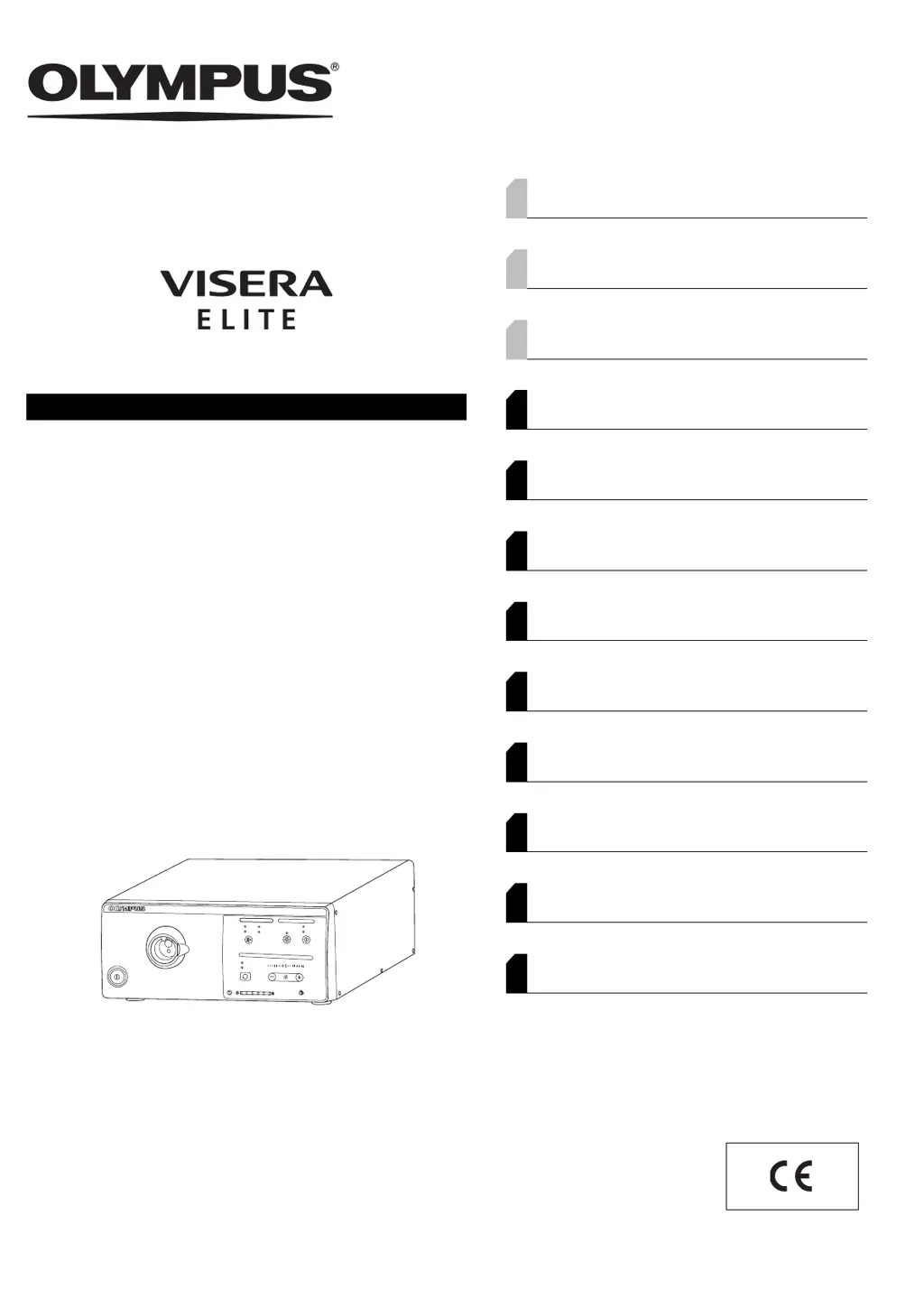
INSTRUCTIONS
VISERA ELITE XENON LIGHT SOURCE
OLYMPUS CLV-S190
Labels and Symbols 1
Important Information — Please Read Before
Use 4
Summary of the Functions of the Instrument 12
Chapter 1 Checking the Package Contents 15
Chapter 2 Nomenclature and Functions 17
Chapter 3 Installation and Connection 25
Chapter 4 Inspection 37
Chapter 5 Operation 57
Chapter 6 Lamp Replacement 71
Chapter 7 Care, Storage, and Disposal 83
Chapter 8 Troubleshooting 87
Appendix 93

Table of Contents

Questions and Answers

  • R
    Robert CarterSep 4, 2025
    Why is Video PDD observation disabled on my Olympus VISERA ELITE CLV-S190?
    • F
      fthompsonSep 4, 2025
      Video PDD observation may be disabled on your Olympus Lighting Equipment due to: * An incompatible endoscope, light guide, or camera head is connected. Connect the endoscope, light guide cable and camera head compatible with PDD. * The video system center does not have the PDD observation function. Use the video system center with the PDD observation function. * The PDD observation mode is not selected. Press the observation mode button to select the PDD observation mode. * The optional PDD filter (MAJ-1429) is not installed. Install the optional PDD filter (MAJ-1429).
  • J
    john60Sep 18, 2025
    Why the endoscope cannot be connected to the light source of Olympus VISERA ELITE CLV-S190?
    • M
      millerkristySep 18, 2025
      The endoscope cannot be connected to the light source because the endoscope is not compatible with the light source. Connect an endoscope that is listed in the “?System chart” on page 93.
  • V
    Valerie SmithSep 16, 2025
    Why does the emergency lamp light up frequently instead of the examination lamp on my Olympus VISERA ELITE CLV-S190 Lighting Equipment?
    • J
      james41Sep 16, 2025
      If the emergency lamp lights up frequently instead of the examination lamp on your Olympus Lighting Equipment, the instrument may have already malfunctioned. Return the instrument for repair.
  • I
    Ian AlexanderSep 14, 2025
    Why the high intensity mode cannot be set on my Olympus VISERA ELITE CLV-S190 Lighting Equipment?
    • K
      Kevin LittleSep 14, 2025
      The high intensity mode cannot be set on your Olympus Lighting Equipment if an incompatible endoscope or light guide is connected to the output socket. Connect an endoscope or light guide cable with high intensity mode compatibility.
  • G
    Gerald TaylorSep 13, 2025
    What to do if the brightness level does not change on my Olympus Lighting Equipment?
    • W
      williamsmichaelSep 13, 2025
      If the brightness level does not change even when the brightness buttons are pressed on your Olympus Lighting Equipment, it is possible that the level is set to the minimum or maximum. Adjust the brightness to an optimum level or turn the light source OFF then ON again.
  • D
    David SawyerSep 12, 2025
    Why is Naked-eye PDD observation disabled on my Olympus VISERA ELITE CLV-S190 Lighting Equipment?
    • M
      Michael TaylorSep 12, 2025
      Naked-eye PDD observation may be disabled on your Olympus Lighting Equipment if: * The connected endoscope and/or light guide cable are not compatible with the PDD observation. Connect the endoscope and light guide cable compatible with the PDD observation. * The video system center is ON. Turn the video system center OFF. * The PDD observation mode is not selected. Press the observation mode button to select the PDD observation mode. * The optional PDD filter (MAJ-1429) is not installed. Install the optional PDD filter (MAJ-1429). * The PDD observation mode is selected. Press the observation mode button to select the normal observation mode.
  • J
    Justin BrandtSep 9, 2025
    Why examination lamp does not ignite, the indicators on the front panel blink, and a beep is heard in my Olympus VISERA ELITE CLV-S190?
    • J
      Jake DaltonSep 9, 2025
      If the examination lamp does not ignite, the indicators on the front panel blink, and a beep is heard from your Olympus Lighting Equipment, it indicates that the temperature of the light source is too high. Turn the light source OFF and confirm that the ventilation grills are not covered. Allow the light source to cool down, then turn it ON again.
  • M
    meyerdeborahSep 7, 2025
    How to reset the lamp usage indicator on Olympus VISERA ELITE CLV-S190 Lighting Equipment?
    • J
      joseph89Sep 7, 2025
      If the lamp usage indicator cannot be reset on your Olympus Lighting Equipment: * The examination lamp is lit. Press the lamp button for more than 1 second to extinguish the examination lamp, and then press and hold the counter reset button for about 3 seconds. * The counter reset button is pressed only for a short time. Press and hold the counter reset button for about 3 seconds.
  • G
    gonzalezlisaSep 6, 2025
    What to do if the examination lamp does not turn off on my Olympus VISERA ELITE CLV-S190 Lighting Equipment?
    • P
      Patrick ParsonsSep 6, 2025
      If the examination lamp does not turn off even when the lamp button is pressed on your Olympus Lighting Equipment, it might be because the lamp button is pressed only for a short time. Press and hold the lamp button for 1 second or more.
  • R
    rodgersstephanieAug 21, 2025
    What to do if my Olympus VISERA ELITE CLV-S190 power fails to turn on?
    • S
      Samuel FranklinAug 21, 2025
      If your Olympus Lighting Equipment fails to power on, there are several possible reasons: * The power switch may not be turned on, so ensure it is switched ON. * The power cord might not be properly connected. Connect the power cord to a wall mains outlet. * The lamp cover may not be closed firmly or might be removed. Make sure the lamp cover is securely closed. * If you are using a mobile workstation, its power switch may be off. Ensure the mobile workstation's power switch is turned ON.

Summary

Labels and Symbols

Rear Side Labels and Symbols

Details safety labels and symbols found on the rear panel of the light source.

Back Cover Symbols

Describes symbols and their meanings as indicated on the back cover of the instruction manual.

Important Information and Safety Precautions

Intended Use, Applicability, and Manual Review

Covers intended use, procedural applicability, and importance of the instruction manual for safe operation.

User Qualifications and Instrument Compatibility

Outlines necessary user qualifications and compatibility checks for ancillary equipment.

Repair, Modification, and Signal Words

Guidelines on repair, modification, and explanation of signal words used in the manual.

Dangers, Warnings, and Cautions

Details general safety warnings, dangers, and cautions for equipment handling.

Cardiac Application Safety Guidelines

Specific safety instructions and warnings for using the device in cardiac applications.

Instrument Functions Overview

Chapter 1: Checking the Package Contents

1.1 Package Contents Verification

Details how to verify all components are present in the package upon receipt.

Chapter 2: Nomenclature and Functions

2.1 Nomenclature and Functions Overview

Presents symbols and descriptions for front, rear, and side panels of the light source.

2.2 Front Panel Components and Controls

Details the front panel layout, including power, indicators, sockets, and control panel buttons.

Chapter 3: Installation and Connection

3.1 Attention to Installation and Connection

Provides critical warnings and cautions before installing and connecting the light source and equipment.

3.2 Installation Workflow

Outlines the step-by-step procedure for installing the light source and ancillary equipment.

3.3 Equipment Installation Procedures

Details safe practices for installing the light source on mobile workstations or other locations.

3.4 Video System Center Connection

Explains how to connect the light source to compatible OLYMPUS video system centers.

3.5 Foot Switch Connection

Describes the procedure for connecting the optional foot switch to the light source.

3.6 AC Mains Power Supply Connection

Details the correct and safe procedures for connecting the light source to the power supply.

Chapter 4: Inspection Procedures

4.1 Attention to Inspection

Provides essential warnings and cautions for performing pre-use inspections of the light source.

4.2 Inspection Workflow

Outlines the step-by-step process for inspecting the light source before operation.

4.3 Endoscope Connection Inspection

Details the procedure and precautions for connecting endoscopes to the light source.

4.4 Power Supply Inspection

Guides on checking the power supply functionality and indicators of the light source.

4.5 Lamp Usage Indicator Check

Explains how to read and interpret the lamp usage indicator for timely replacement.

4.6 Examination Light Inspection

Describes how to check the emission and functionality of the examination light.

4.7 Brightness Mode Switching Function Inspection

Details how to verify the switching between AUTO and MANU brightness modes.

4.8 Brightness Adjustment Inspection

Covers the inspection of both automatic and manual brightness adjustment features.

4.9 Optical-Digital Observation Function Inspection

Guides on checking the optical-digital observation modes like NBI and PDD.

4.10 High Intensity Mode Inspection

Details how to activate and use the high intensity illumination mode.

4.11 Post-Inspection Procedures

Provides steps to follow after completing the inspection process.

Chapter 5: Operating the Light Source

5.1 Attention to Operation

Lists crucial warnings and cautions to observe during the operation of the light source.

5.2 Operation Workflow

Presents the overall workflow for operating the light source and connected equipment.

5.3 Turning ON and Igniting the Lamp

Details the procedure for powering on the light source and activating the examination lamp.

5.4 Setting the Brightness Mode

Explains how to select and set the appropriate brightness mode for the endoscope.

5.5 Brightness Adjustment

Covers the adjustment of light brightness using automatic or manual modes.

5.6 Optical-Digital Observation Modes

Guides on using special observation modes like NBI and PDD.

5.7 High Intensity Mode Operation

Explains how to activate and use the high intensity illumination mode.

5.8 Extinguishing the Examination Lamp

Details the procedure for turning off the examination lamp.

5.9 Turning the Light Source OFF

Describes how to safely power down the entire light source unit.

Chapter 6: Xenon Lamp Replacement

6.1 Xenon Lamp Replacement Instructions

Provides instructions and warnings for replacing the xenon lamp.

6.2 Lamp Removal Procedure

Details the step-by-step process for safely removing the old examination lamp.

6.3 New Lamp Insertion Procedure

Guides on the correct procedure for installing a new examination lamp.

6.4 Lamp Usage Indicator Reset

Explains how to reset the lamp usage indicator after a replacement.

Chapter 7: Care, Storage, and Disposal

7.1 Light Source Care and Cleaning

Provides instructions for cleaning and maintaining the light source.

7.2 Proper Storage Guidelines

Outlines the proper procedures for storing the light source when not in use.

7.3 Disposal of Lamp and Unit

Details the correct methods for disposing of the examination lamp and the light source.

Chapter 8: Troubleshooting Guide

8.1 General Troubleshooting Precautions

Introduces the troubleshooting section and general precautions for the light source.

8.2 Troubleshooting Common Issues

Lists common problems, their causes, and solutions for the light source.

8.3 Returning Unit for Repair

Provides instructions on how to return the unit for service if issues cannot be resolved.

Appendix: Additional Information

System Chart: Combination Equipment

Lists recommended equipment combinations and system charts for the light source.

Environmental Operating Conditions

Specifies environmental conditions for the light source's operation, storage, and transport.

Technical Specifications

Lists technical specifications of the light source, including power, size, and performance.

Electromagnetic Compatibility (EMC) Information

Provides guidance and declarations regarding electromagnetic compatibility (emissions and immunity).

Olympus VISERA ELITE CLV-S190 Specifications

General IconGeneral
Light Source TypeXenon
Brightness AdjustmentAutomatic and manual
Light Intensity ControlYes
PumpNot applicable
Input Voltage100-240V AC
Compatible endoscopesOlympus VISERA ELITE series
Illumination TechnologyXenon

Related product manuals