20
3
EN
Playback
Playback
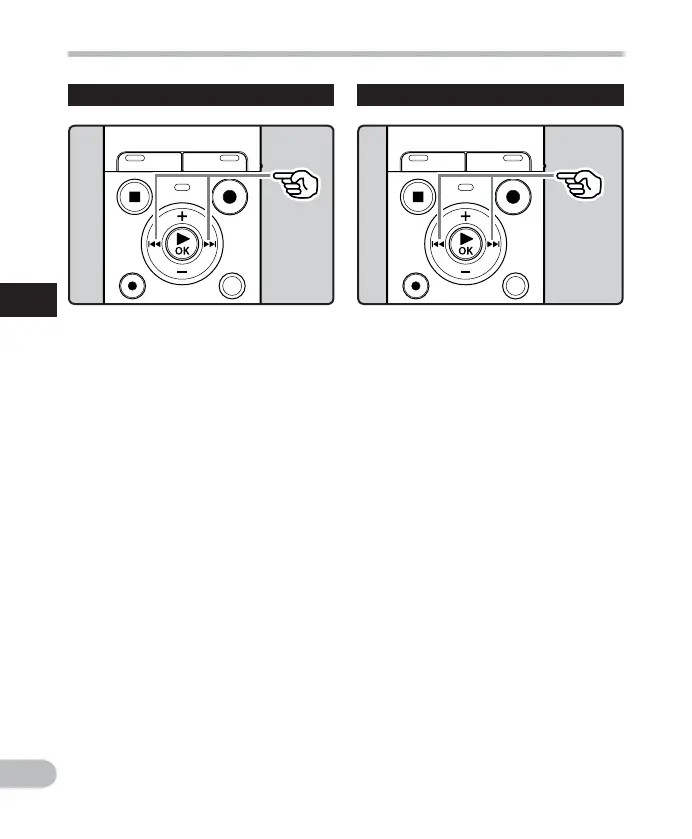
While the recorder is in stop mode
or playback mode, press the 9
button.
• The recorder skips to the beginning of
the next file.
While the recorder is in playback
mode, press the 0 button.
• The recorder skips to the beginning of
the current file.
While the recorder is in stop mode,
press the 0 button.
• The recorder skips to the beginning of
the previous file. If the recorder is in
the middle of a file, it will return to the
beginning of the file.
While the recorder is in playback
mode, press the 0 button twice.
• The recorder skips to the beginning of
the previous file.
Locating the beginning of a file Forwarding and Rewinding
While the recorder is in stop mode,
press and hold the 9 or 0
button.
• If you release the 9 or 0 button, it
will stop. Press the ` OK button to start
playback from where it was stopped.
While the recorder is in playback
mode, press and hold the 9 or
0 button.
• When you release the 9 or 0
button the recorder will resume normal
playback.
• If there is an index mark or temp mark in
the middle of the file, the recorder will
stop at that location ( ☞ P. 22).
• 9 : Keeping the 9 button pressed
will make the recorder fast forward
the next file.
0 : Keeping the 0 button pressed
will make the recorder rewind the
previous file.



 To Next Page