EasyManua.ls Logo

Olympus VN-731PC - User Manual

Olympus VN-731PC
67 pages
Print Icon
To Next Page IconTo Next Page
Loading...
Getting started
Recording
Playback
Menu
Use with a PC
Other information
EN
1
2
3
4
5
6
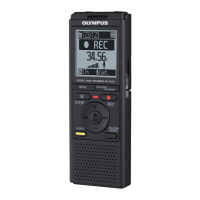
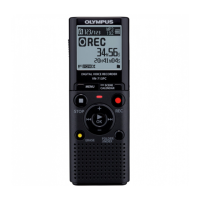
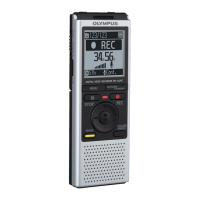
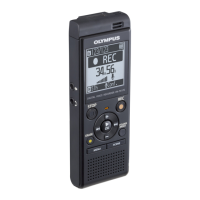
VN-733PC
VN-732PC
VN-731PC
DIGITAL VOICE
RECORDER
USER MANUAL
Thank you for purchasing an Olympus digital voice recorder.
Please read these instructions for information about using the product
correctly and safely.
Keep the instructions handy for future reference.
To ensure successful recording, we recommend that you test the record
function and volume before use.

Table of Contents

Questions and Answers

  • A
    Adam TrujilloAug 7, 2025
    How to fix inaudible playback on Olympus VN-731PC Voice Recorder?
    • C
      Carlos CookeAug 8, 2025
      If you can't hear anything during playback on your Olympus Voice Recorder, check the following: * If earphones are connected to the EAR jack, disconnect them to use the built-in speaker. * Ensure the volume isn't set to [00]; adjust it to a suitable level.
  • D
    Dr. Ashley Lang MDAug 14, 2025
    What to do if my Olympus Voice Recorder is unable to record?
    • A
      Andrew HansonAug 14, 2025
      If your Olympus Voice Recorder won't record, it might be because the memory is full. Try erasing any unnecessary files. Alternatively, you might have reached the maximum number of recordable files, in which case you should select another folder.
  • L
    Laura KleinAug 20, 2025
    What to do if my Olympus Voice Recorder is not working?
    • C
      crossAug 20, 2025
      If your Olympus Voice Recorder isn't working, it could be due to a few reasons. First, ensure that the battery isn't low by replacing it. Second, check that the power is turned on. Finally, verify that the recorder is not in HOLD mode; if it is, release it.
  • E
    Evelyn JeffersonAug 27, 2025
    Why is the display blank on my Olympus VN-731PC?
    • T
      Theodore FranklinAug 27, 2025
      If the display of your Olympus Voice Recorder is blank, there are a few potential reasons. First, make sure that the battery is correctly inserted, paying attention to the positive and negative terminals. Second, the battery may be low, so try replacing it. Finally, ensure that the power is turned on.
  • S
    Sarah DayAug 31, 2025
    Why can't I write index marks on my Olympus VN-731PC?
    • P
      Paula MoralesAug 31, 2025
      If you're having trouble adding index or temporary marks on your Olympus Voice Recorder, consider these points: 1. You may have reached the maximum limit of 99 marks, so try deleting some that you don't need. 2. The file might be locked; unlock it. 3. The file could be set as read-only. Unlock the file directly on the recorder or undo the read-only setting on a PC.

Summary

Getting Started Guide

Setup Process

Initial steps after unpacking the voice recorder for first-time use.

Battery Installation

Instructions for properly installing AAA batteries for power.

Date and Time Configuration

Configures the recorder's internal clock for file management.

microSD Card Management

Guide on inserting and removing microSD cards for expanded storage.

Recording Features

Basic Recording Procedure

Step-by-step guide to start and stop recording audio.

Recording Sensitivity [Rec Level]

Adjusts audio input level for lectures, conferences, or dictation.

Recording Mode [Rec Mode]

Prioritizes sound quality or recording time by selecting file format.

Noise Reduction Features

Minimizes noise using Low Cut Filter and Voice-Activated Recording.

Voice Sync Recording Function

Detects silent intervals between audio tracks for automatic file separation.

Recording with External Sources

Guides for using external microphones and connected devices.

Playback Functions

Basic Playback Procedure

Steps to select and play recorded audio files.

Playback Navigation Controls

Functions for fast-forwarding, rewinding, and skipping files.

Playback Customization Settings

Options to enhance audio quality and playback experience.

Changing Playback Speed

Adjusts the playback speed for faster review or slower analysis.

File Marking and Erasing

Add/remove marks and delete files for efficient management.

Menu and System Settings

Setting Menu Items

Guide to navigating and changing settings via the menu system.

File Menu Functions

Features for file locking, division, and viewing information.

Recording Menu Options

Settings related to recording sensitivity, mode, and noise reduction.

Playback Menu Options

Settings for noise cancellation, voice balancing, and playback modes.

Device Menu Configuration

System settings including memory selection, date/time, and formatting.

PC Connectivity

PC Operating Environment

Specifies the operating systems and hardware required for PC connection.

Connecting and Disconnecting from PC

Steps for safely connecting the recorder to a PC and transferring data.

Loading Files to a PC

How to copy recorded files from the recorder to a PC.

Other Information and Support

Alarm Message List

Explains messages and required actions for error conditions.

Troubleshooting Common Issues

Provides solutions for common problems encountered with the voice recorder.

Safety Precautions

Essential warnings and guidelines for safe operation and handling.

Product Specifications

Technical details including recording formats, battery life, and recording times.

Olympus VN-731PC Specifications

General IconGeneral
Playback time75 h
Recording modesHigh Quality (HQ), Long Play (LP)
Built-in microphoneYes
HQ mode recording time126 h
Maximum recording time790 h
Audio formats supportedWMA
HQ mode frequency response70 - 13000 Hz
LP mode frequency response70 - 3000 Hz
Internal memory2048 MB
BacklightNo
Display resolution108 x 84 pixels
Display size (HxV)27.6 x 23.9 mm
Output power320 mW
Loudspeaker diameter28 mm
Number of built-in speakers1
InterfaceUSB
Built-in memory capacity2 GB
Recording battery life100 h
Compatible battery sizesAAA
Number of batteries supported2
Product colorGray
Menu languagesDAN, DEU, DUT, ENG, ESP, FRE, ITA, POL, RUS, SLV
Number of messages per folder200
Mac operating systems supportedMac OS X 10.5 Leopard, Mac OS X 10.6 Snow Leopard, Mac OS X 10.7 Lion, Mac OS X 10.8 Mountain Lion, Mac OS X 10.9 Mavericks
Weight and Dimensions IconWeight and Dimensions
Depth16.8 mm
Width39 mm
Height108 mm
Weight71 g

Related product manuals